
Boards Views
Organise tasks, track progress, and collaborate seamlessly—right where your teams already work.
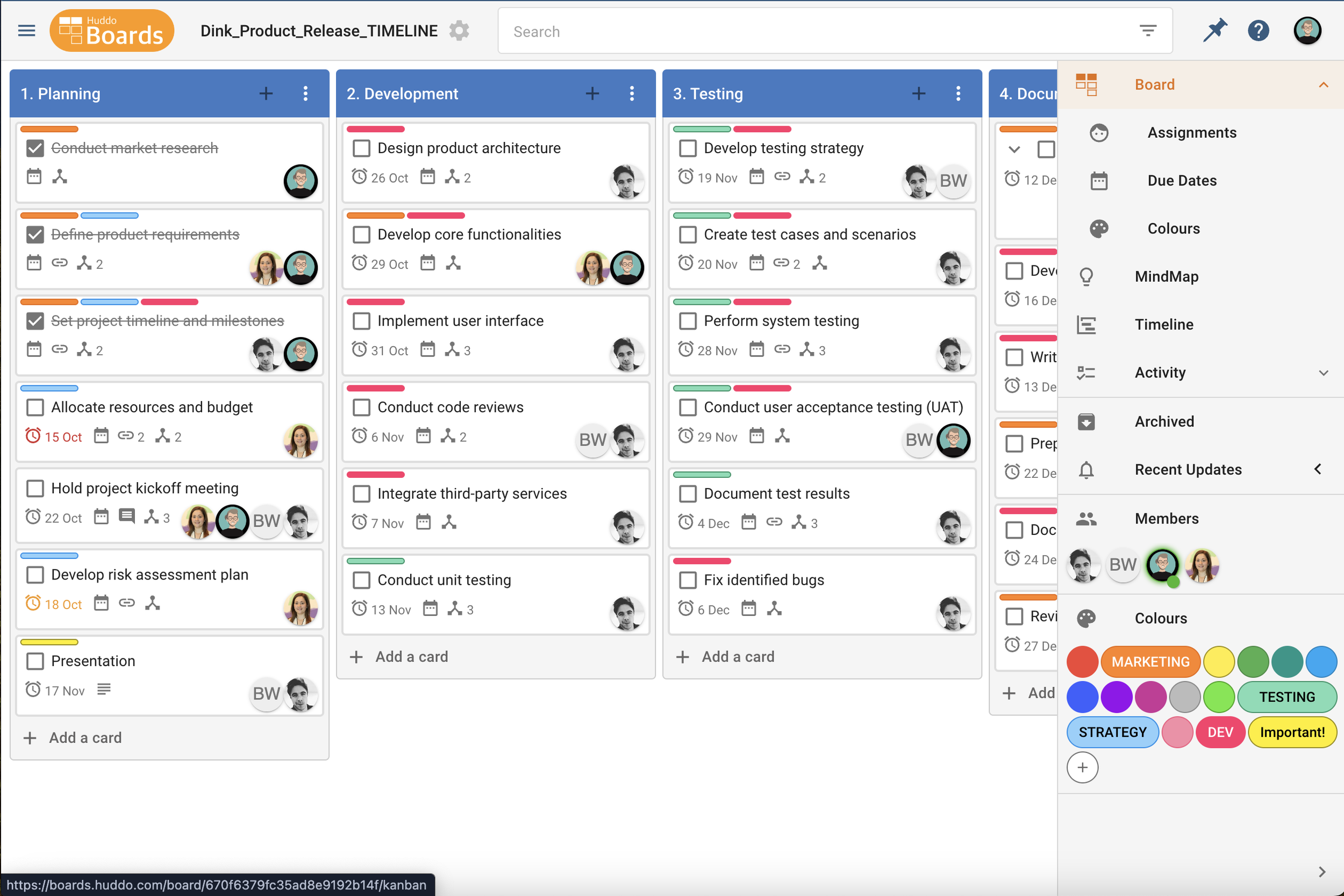

Kanban is Workflows
Workflow Efficiency
Kanban workflow efficiency is achieved by visualising tasks, limiting work in progress (WIP), and focusing on continuous delivery. By breaking projects into manageable stages, teams can track progress in real time and identify bottlenecks that reduce productivity. The structured yet flexible nature of Kanban ensures transparency across the team, as everyone can see what tasks are being worked on, who is responsible, and what’s next in the queue. Ultimately, Kanban promotes smoother workflows, faster task completion, and more consistent project outcomes.
Project Management Methodologies:
Hybrid, Kanban
Board Types:
Support Tickets, Software Dev, etc
Team Productivity
Kanban boosts team productivity by reducing inefficiencies. The visual nature of a Kanban board allows team members to see the current status of every project, leading to improved clarity and communication. By limiting work in progress (WIP), Kanban prevents teams from becoming overwhelmed by too many tasks at once, allowing them to focus on completing one task before moving to the next. This streamlined approach minimises distractions, accelerates decision-making, and ensures that tasks are completed on time.
Agile Prioritisation
Kanban Agile prioritisation is a flexible approach that allows teams to continuously assess and adjust task priorities based on evolving needs and real-time feedback. The method avoids bottlenecks and ensures that high-priority tasks are addressed first, optimising team focus and productivity. Through regular review and re-prioritisation, Kanban helps teams stay responsive to changing project demands, delivering value quickly and efficiently while maintaining alignment with overall objectives.
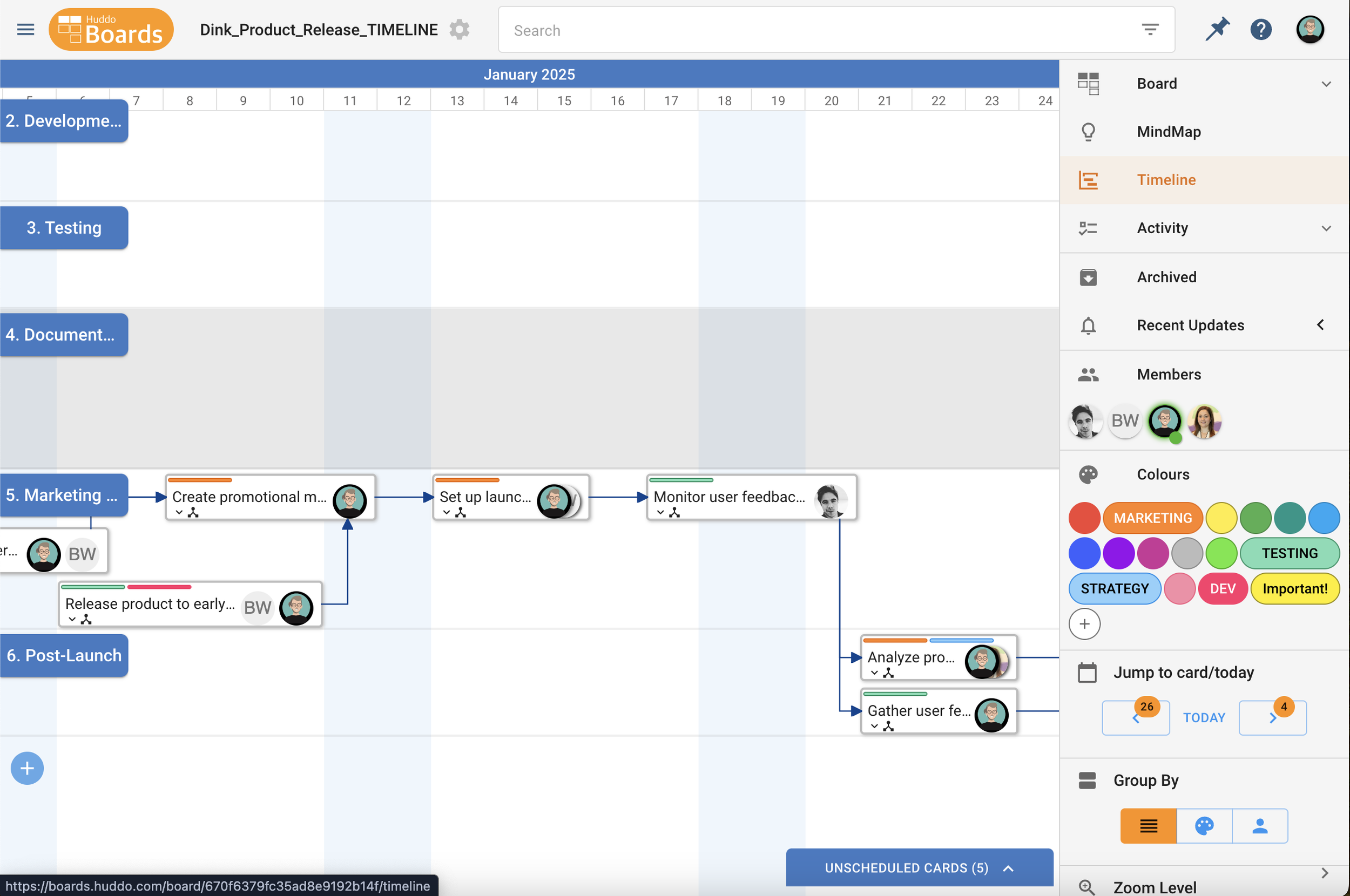
Timeline is Schedules
Task Scheduling
Timeline task scheduling is a powerful tool for organising and managing project timelines effectively. Visually mapping out tasks along a timeline provides a clear understanding of when each task starts, how long it will take, and when it is expected to be completed. This enables project managers to allocate resources efficiently, set realistic deadlines, and identify task dependencies to avoid conflicts or delays. Ultimately, Timeline task scheduling ensures better planning, accountability, and timely delivery of project milestones.
Project Management Methodologies:
Waterfall
Board Types:
Product Releases, Events, etc
Dependency Identification
Timeline is invaluable for identifying task dependencies within a project, ensuring a seamless flow of work, and preventing delays. By visually connecting related tasks with lines or arrows, Timeline helps project managers recognise critical paths, where delays in one task can affect the entire project timeline. Identifying dependencies allows teams to plan for contingencies, allocate resources effectively, and coordinate schedules to avoid bottlenecks. With this information, teams can stay proactive, ensuring that each task is completed for optimal project efficiency.
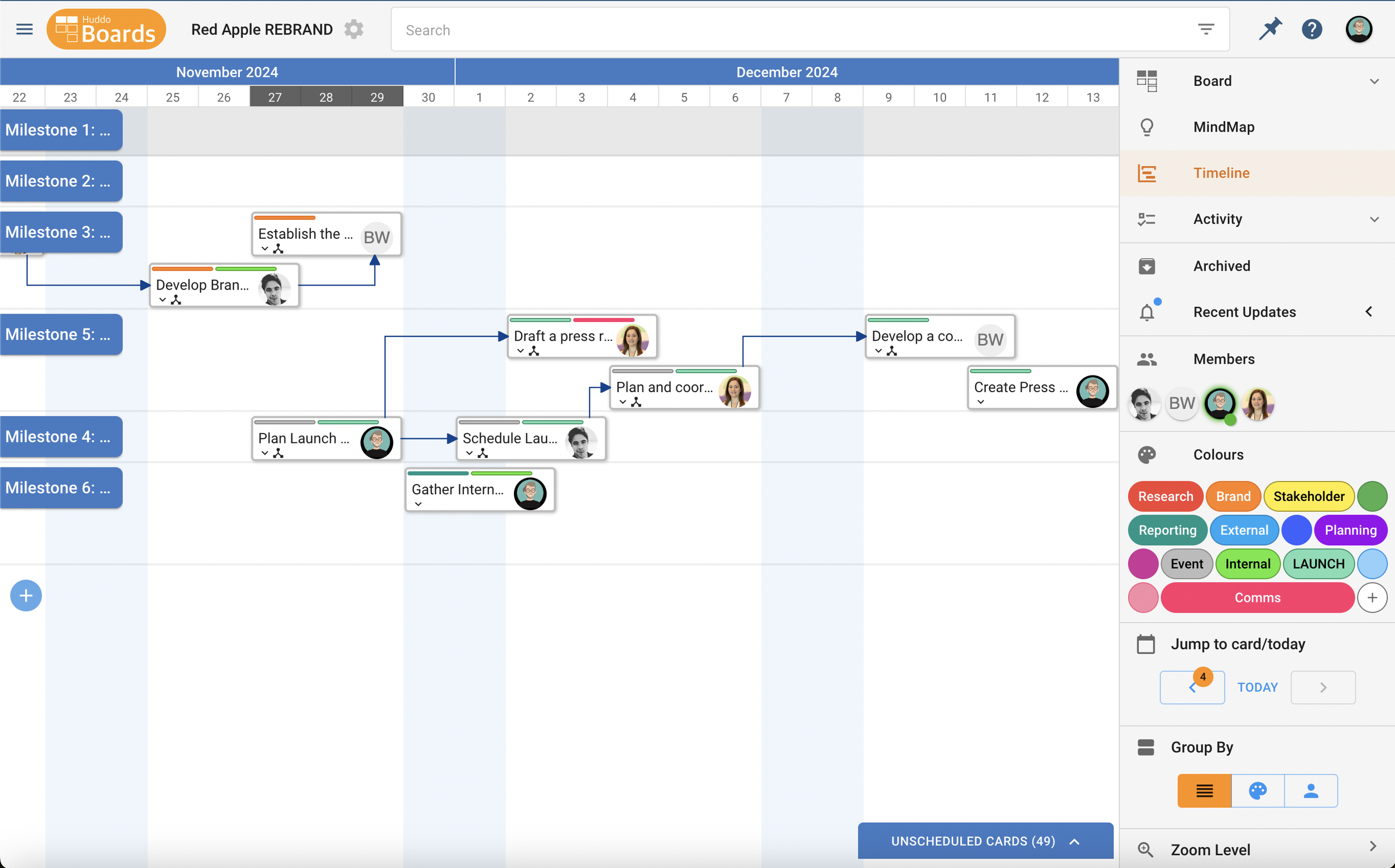
Improved Communication
Timeline significantly enhances communication by providing a clear and visual representation of the project timeline, tasks, and progress. Timeline acts as a central reference point for all team members and stakeholders, ensuring everyone is aligned on goals, responsibilities, and deadlines. With detailed information about task statuses, dependencies, and milestones, Timeline facilitates informed discussions during meetings and simplifies the sharing of updates. Stakeholders can quickly grasp the project’s status, enabling better decision-making and timely support when needed.

No credit card is required to start | Cancel your subscription at any time
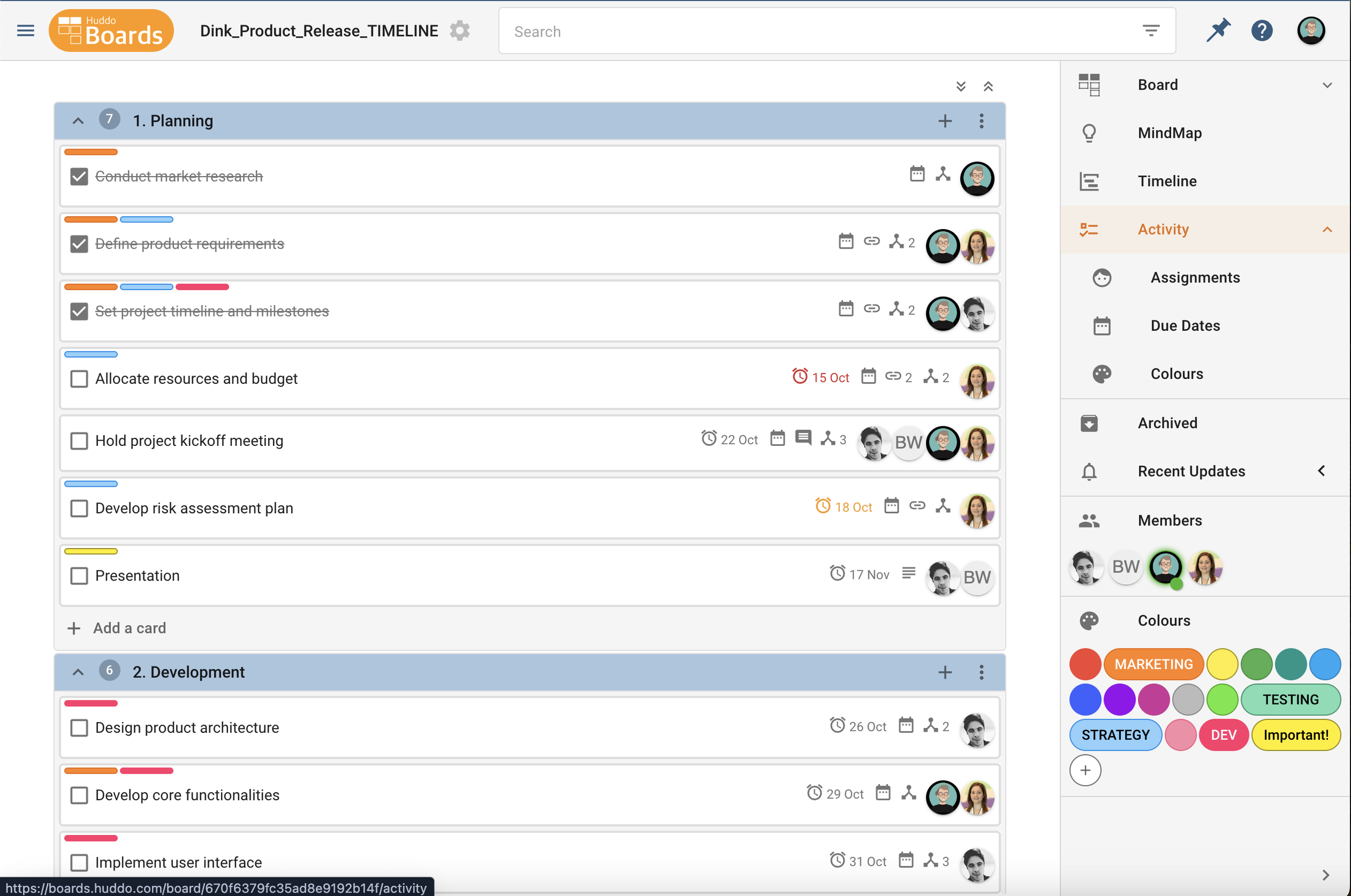
Activity is Checklists
Easy Organisation
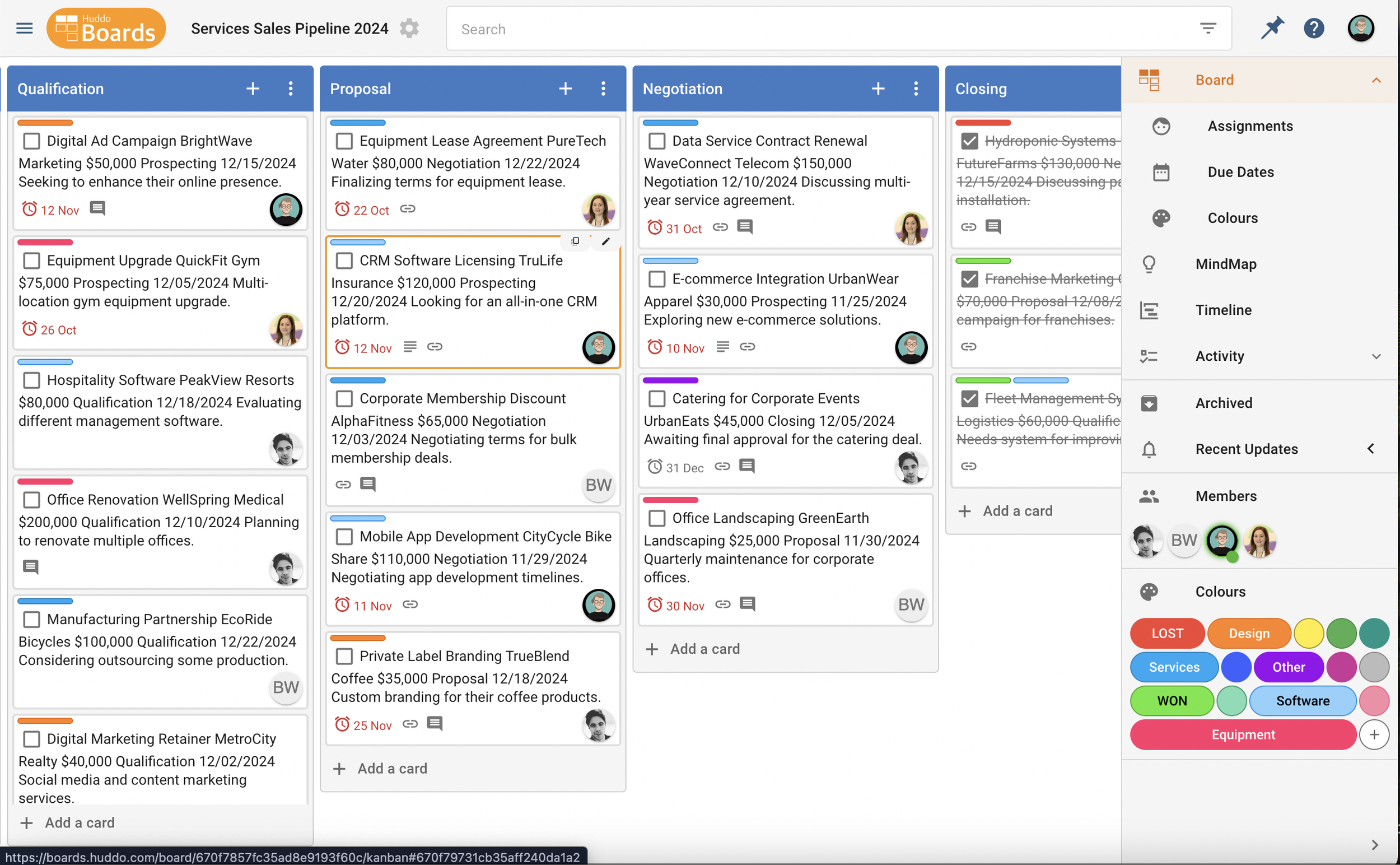
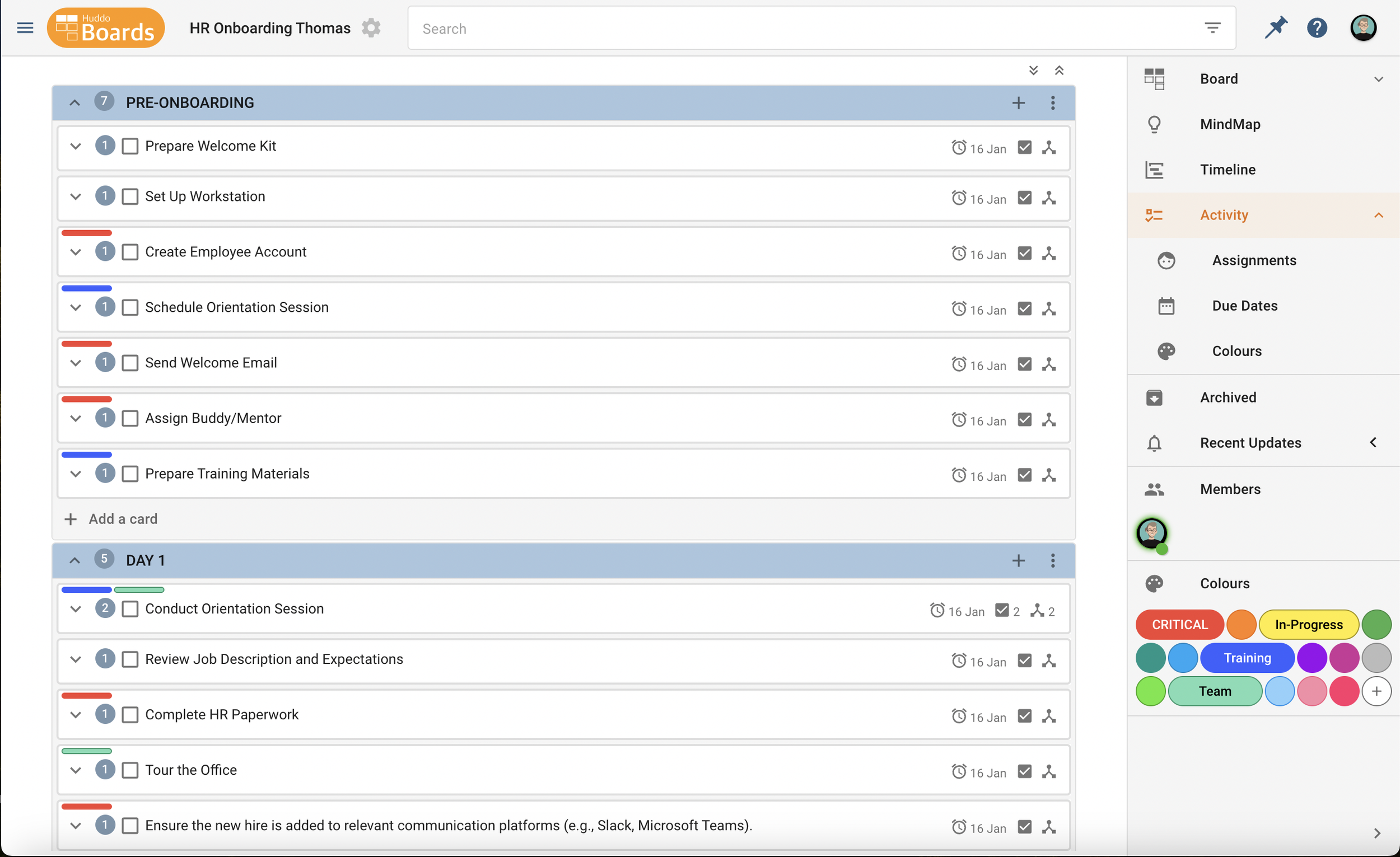
Activity is a powerful view for easy organisation, helping to structure tasks and responsibilities clearly and efficiently. By listing everything you need to accomplish in one place, Activity eliminates mental clutter and provides a clear roadmap for your day or project. It allows you to categorise tasks, prioritise them by importance or urgency, and break larger goals into smaller, manageable steps. With its simplicity and adaptability, an Activity list becomes an essential guide for staying organised and productive, no matter how busy your schedule is.
Project Management Methodologies:
Scrum, Lean
Board Types:
Sales Pipelines, HR Onboarding, etc
Flexible Prioritisation
Activity supports flexible prioritisation, allowing you to adapt your plans as circumstances change. By organising tasks in order of importance or urgency, you can focus on completing high-priority items first while leaving less critical tasks for later. When unexpected changes arise, such as new responsibilities or shifting deadlines, an Activity list lets you easily rearrange tasks without losing sight of your overall goals. This dynamic approach ensures that your efforts remain aligned with evolving priorities, helping you stay productive and responsive.
Enhanced Motivation
Activity enhances motivation by providing a clear sense of progress and accomplishment. As you complete tasks and check them off your list, you experience positive reinforcement that helps build momentum, making even challenging projects feel more manageable. Activity allows you to break larger goals into smaller, actionable steps, reducing overwhelm and creating a steady stream of successes. By offering a clear path to follow and celebrating each milestone, Activity lists inspire confidence and drive to tackle the next task on your journey to success.

MindMap is Brainstorms
Real-time Collaboration
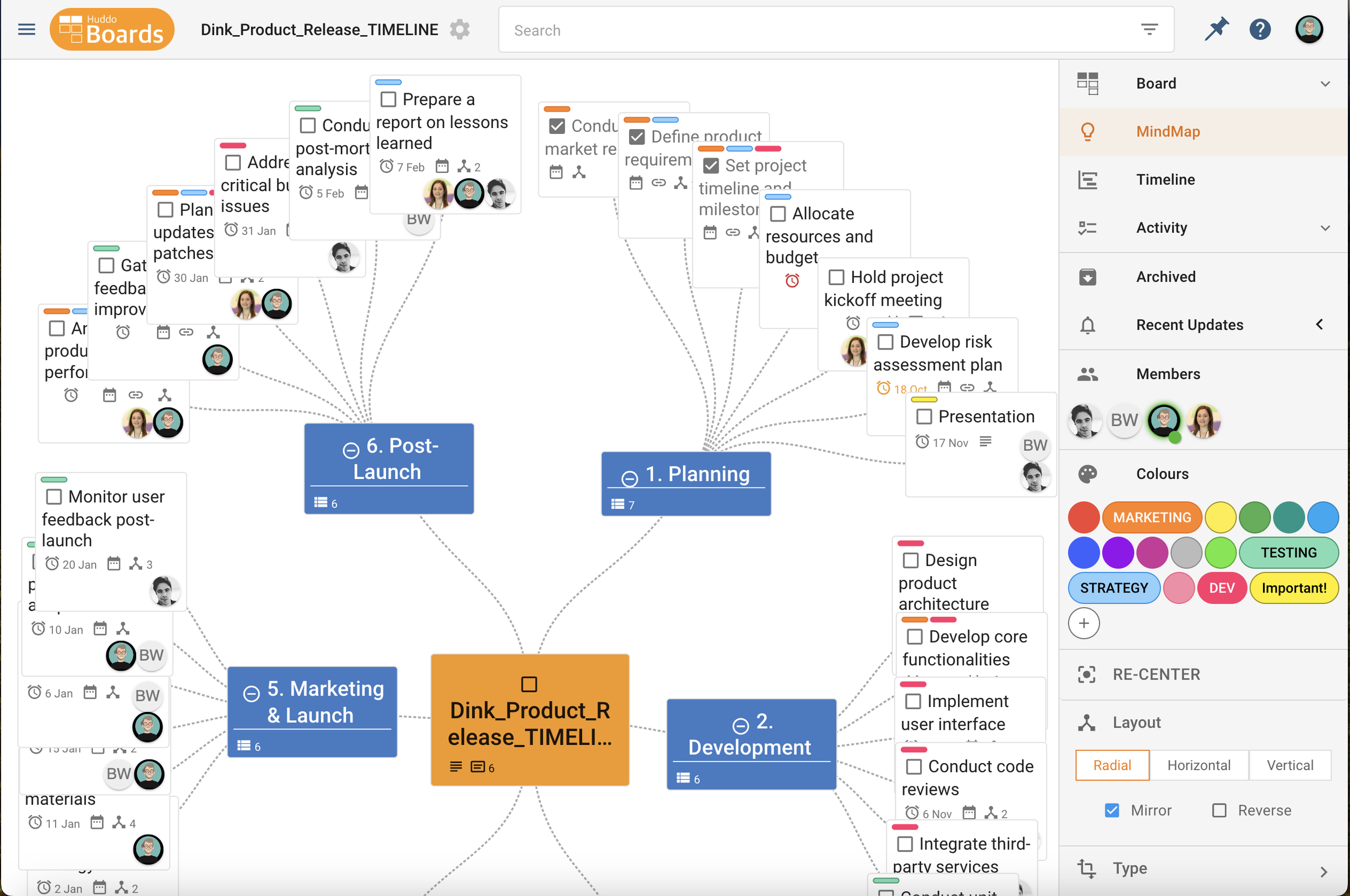
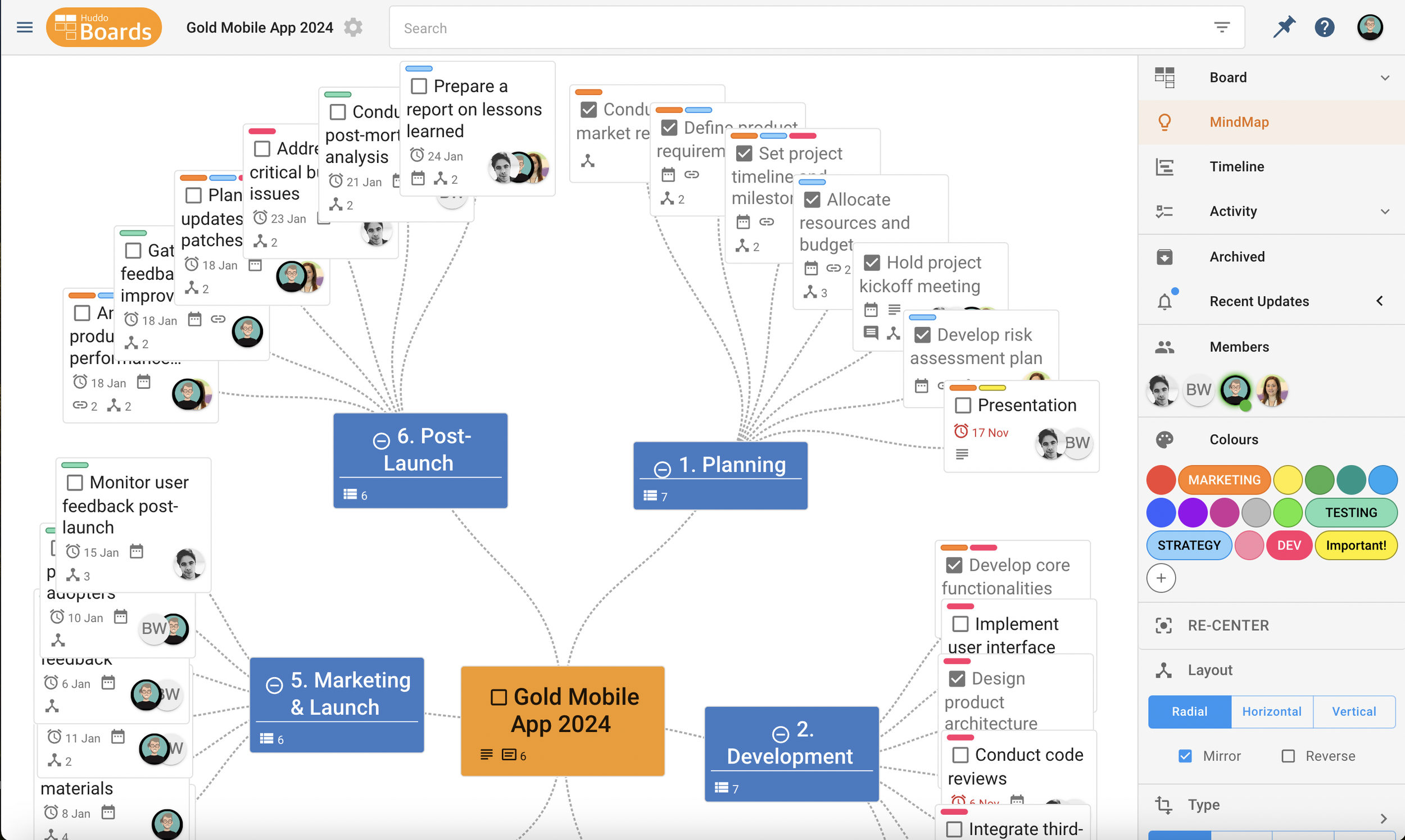
MindMap fosters dynamic and immediate idea generation by allowing team members to contribute simultaneously, regardless of their location. This collaborative environment promotes the free exchange of ideas, as participants can instantly build on each other’s thoughts, refine concepts, and offer feedback. MindMap ensures that no idea is missed, creating a fast-paced, interactive flow of creativity. The immediate sharing and adjusting of ideas leads to more diverse solutions, making the session more productive and engaging.
Project Management Methodologies:
Agile
Board Types:
Rebranding, Research Consolidation, etc
Visualise Relationships
MindMap is a powerful view for visualising the relationships between tasks, helping teams understand how concepts connect and evolve. This visual representation helps identify patterns, hierarchies, and correlations that might not be obvious in a text-based list. MindMap encourages more creative thinking by allowing individuals to see connections from multiple perspectives. As ideas are grouped or linked together, the team gains a deeper understanding of the problem at hand, which leads to more cohesive and well-rounded solutions.
Problem-Solving
MindMap plays a crucial role in problem-solving by providing a structured space for generating and organisng ideas that address complex challenges. By visualising thoughts and solutions, teams can break down problems into smaller, manageable parts and explore a range of potential solutions. As ideas are categorised, prioritised, and refined, the team can identify the most effective solutions and align on the next steps, leading to more innovative and well-thought-out resolutions.
Huddo Boards is FREE | 20 Boards and 200 Cards

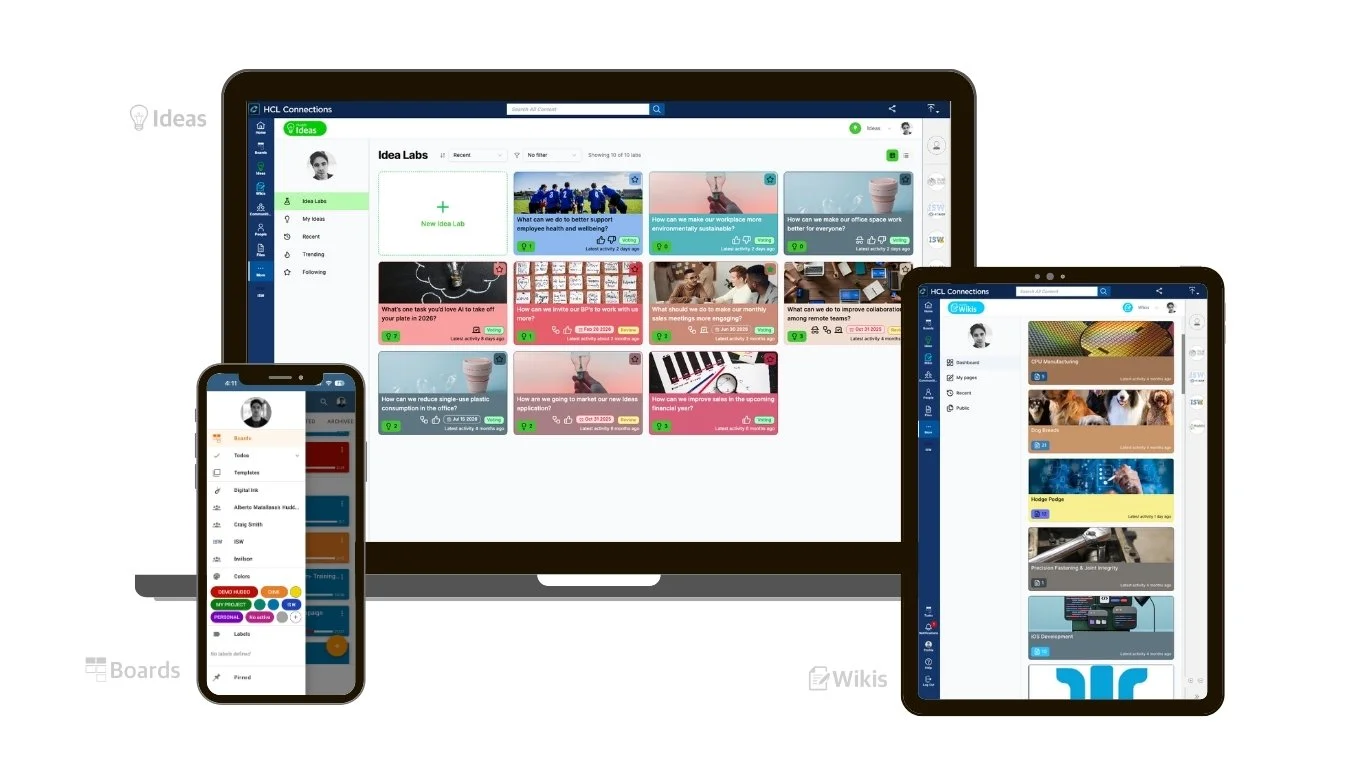

Huddo Suite is developed and supported by ISW, an Australian technology company with over 26 years of experience delivering enterprise software and digital workplace solutions.

Project Management Tool

Innovation & Ideation Tool

Knowledge Management Tool
More of Huddo Suite