
What can Huddo Wikis do?
A full-featured enterprise wiki — built to run on your infrastructure.
Huddo Wikis is a full-featured enterprise wiki platform — rich content authoring, real-time collaboration, and granular access control. It runs on your infrastructure, migrates content from Confluence Data Center or HCL Connections Wikis, and integrates natively with HCL Connections. Here is what it does in detail.
Pages built from real blocks, not one long text box.
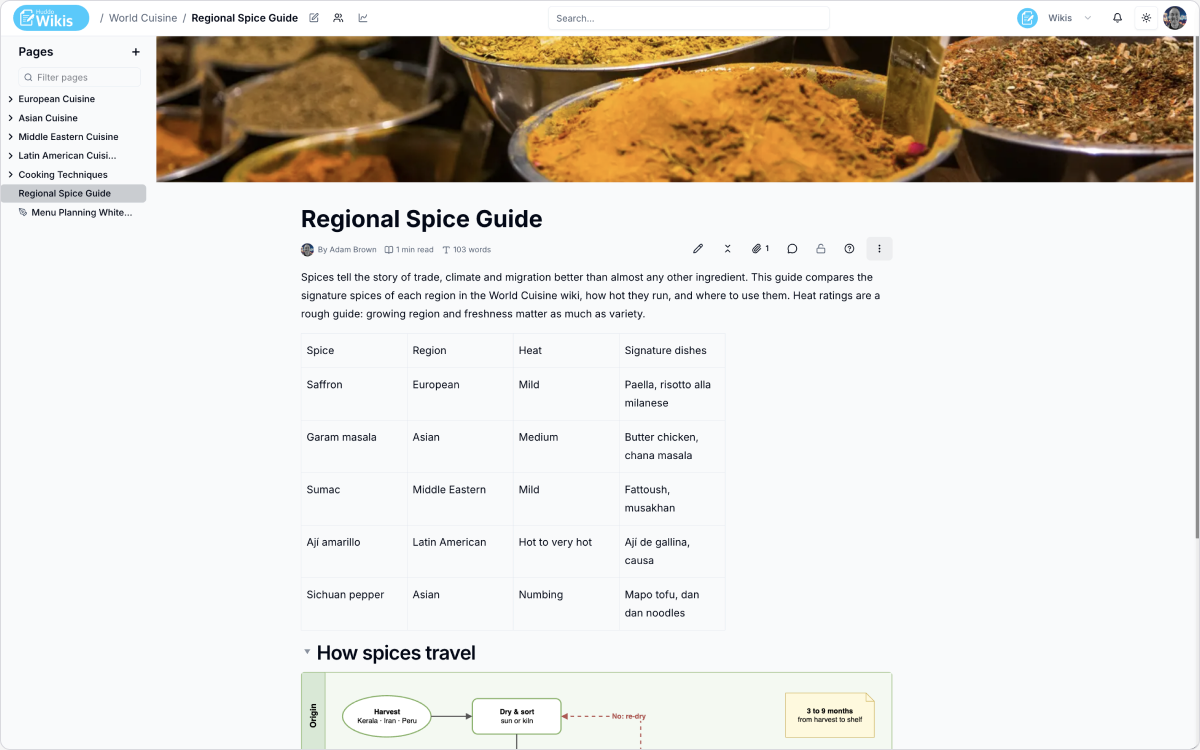
What kind of content can a page hold beyond plain text?
Structured tables with resizable columns and rich cell content — chips, links, code, lists. Syntax-highlighted code blocks across 120+ languages with one-click copy. Images with captions and alt text. Inline and block math. Callouts in five variants for drawing attention to what matters.
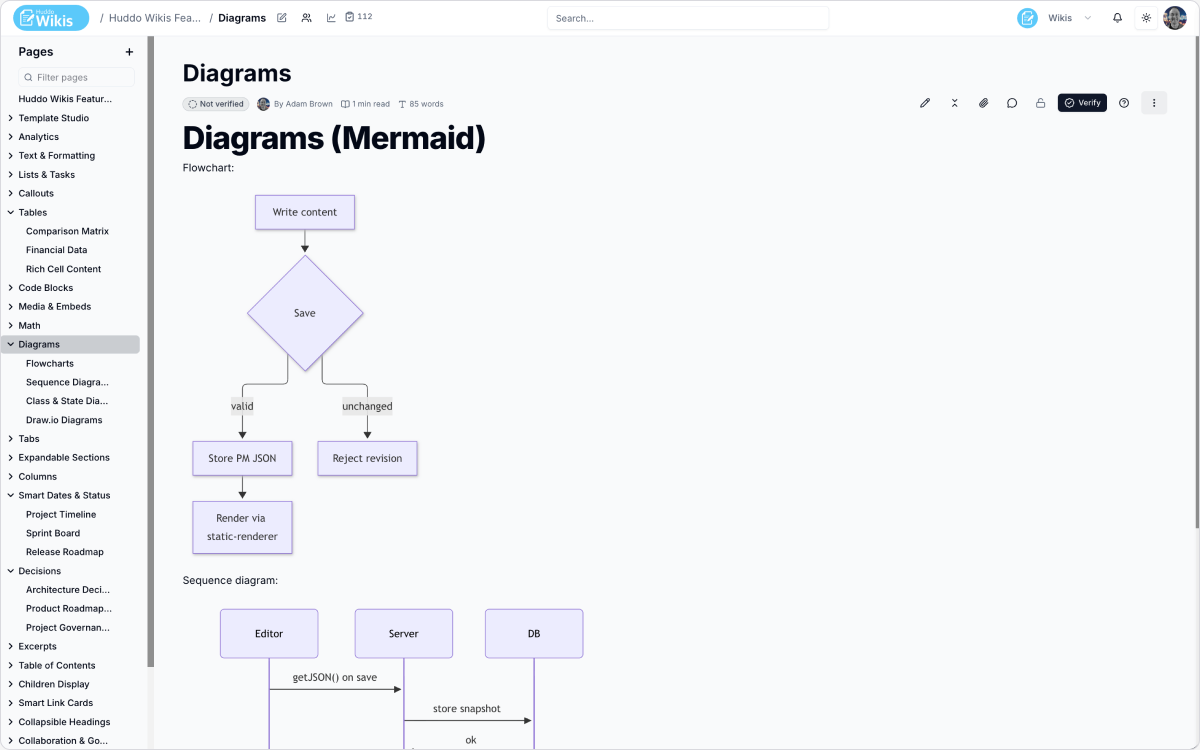
Can we create flowcharts and sequence diagrams without a separate tool?
Yes. Mermaid diagrams are written as text — flowcharts, sequence, class, state and use case diagrams — and update cleanly whenever the text changes. No separate diagramming app to open and re-export from.
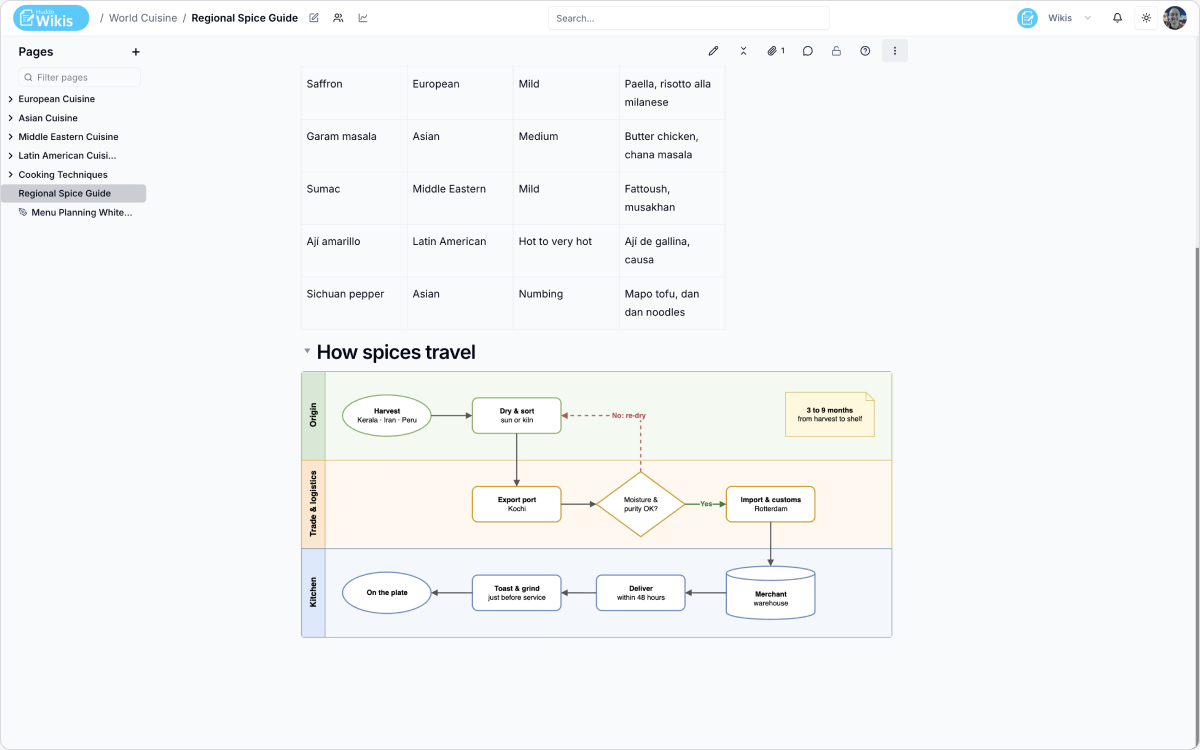
What about diagrams we want to arrange by hand?
A full Draw.io canvas embeds directly in the page — the same drag-and-drop editor teams already know, for network layouts, floor plans, and architecture drawings where exact placement matters. It's stored with the page, so it travels with exports and archives.
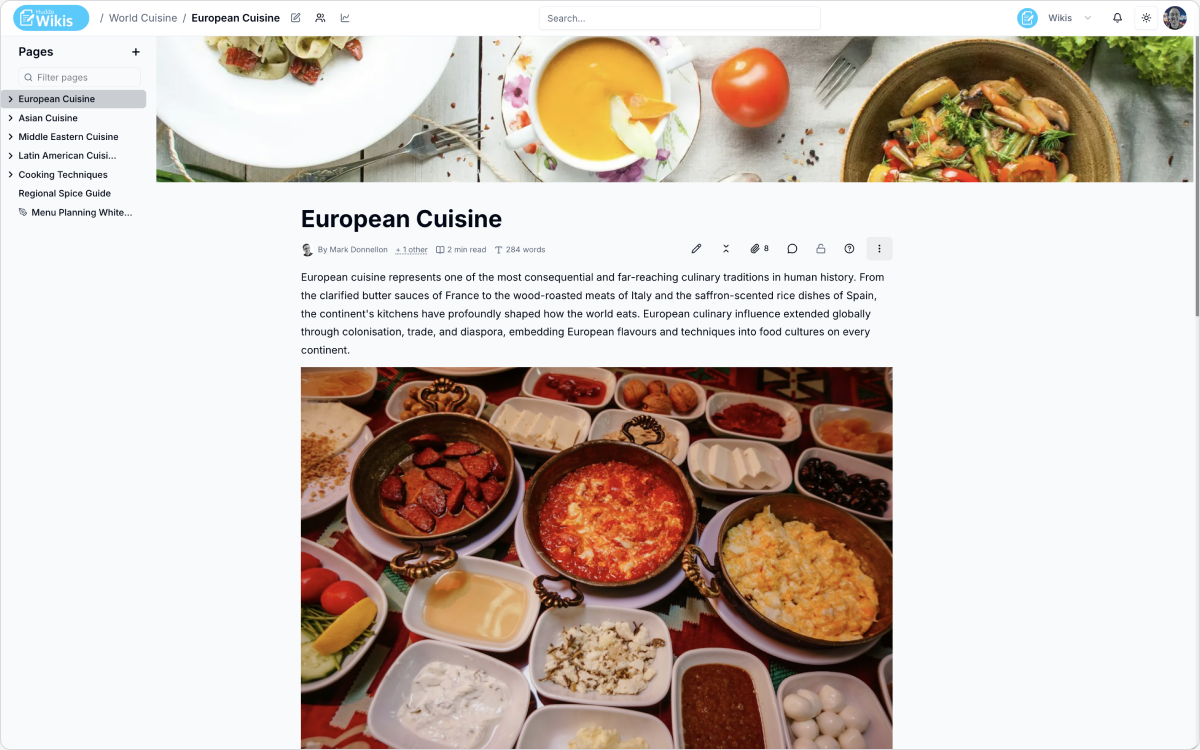
Does Huddo Wikis support task lists and lightweight project tracking?
Bullet, numbered and checkbox lists nest to any depth, and task lists persist their checked state across sessions. Smart date chips render relative to today and pair with colour-coded status labels — Done, In progress, At risk, Blocked, Backlog — for a sprint board or release roadmap directly on a page.
The editing experience your team will actually use.
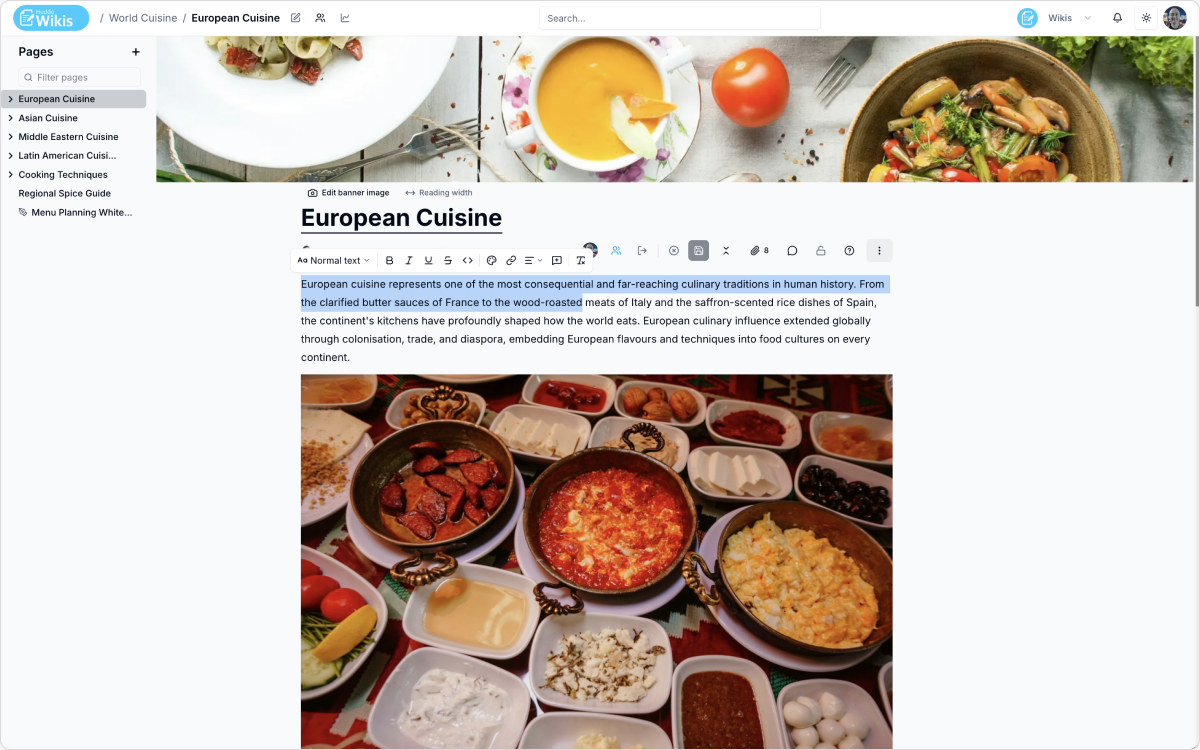
What does the editing experience look like in Huddo Wikis?
A modern block-based editor. Type / for a slash menu of every block type, or use Markdown-style shortcuts if that's faster — either way, no markup is left behind in the page. Every block has a drag handle to reorder, duplicate, or convert it to another type.
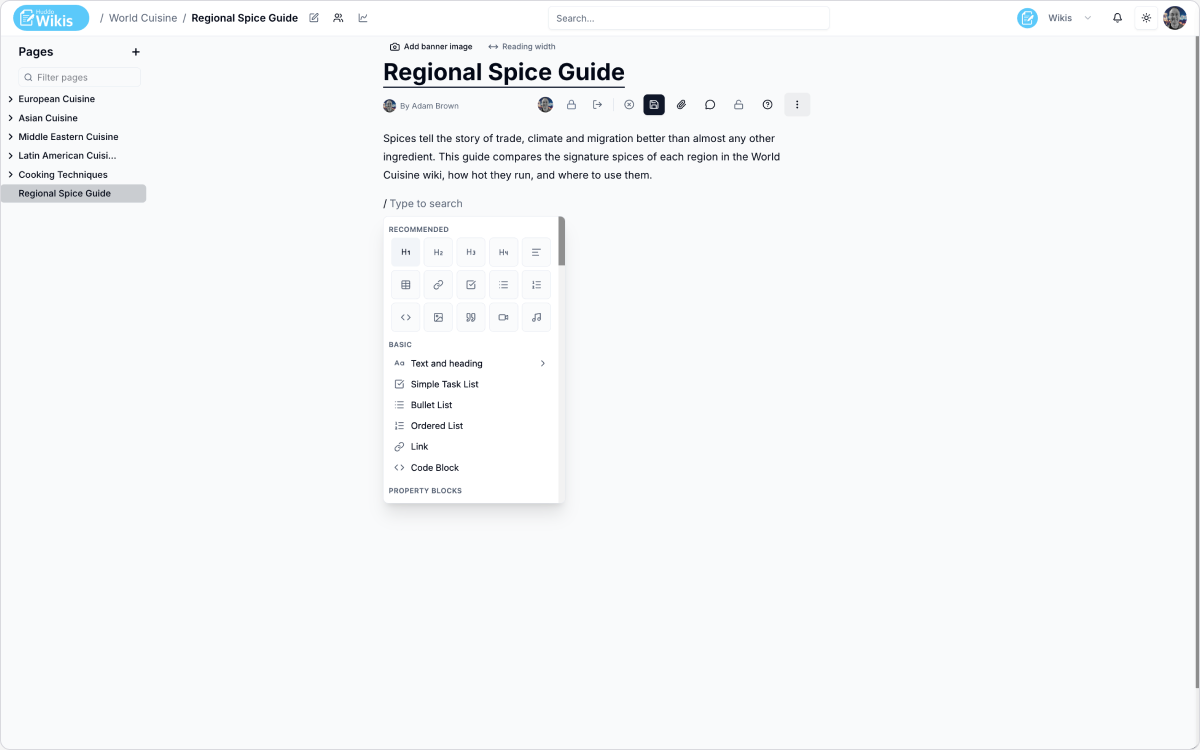
How do I insert a table, a diagram, or any other block?
Type / anywhere in a page for a slash menu of recommended blocks, new blocks, and any property blocks your organisation has enabled — no separate toolbar hunting required.
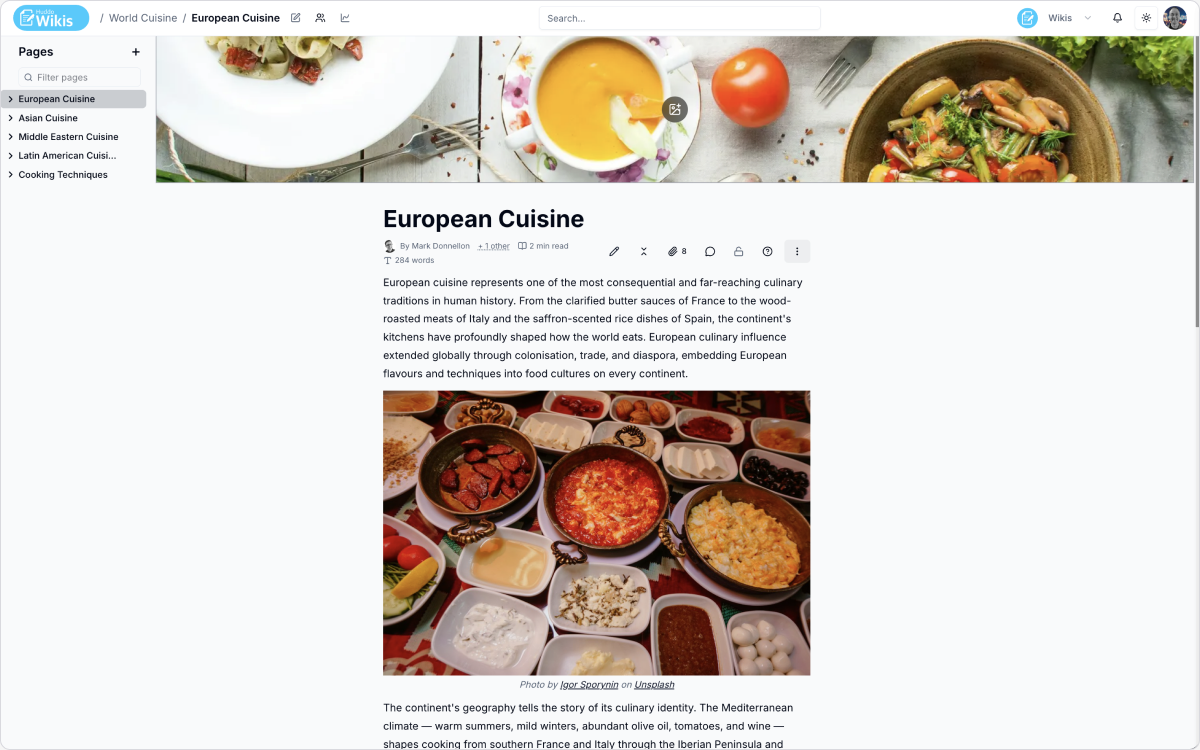
Do we have to start every page from a blank page?
No. The new-page menu offers a blank page, or a start from any template your wiki has enabled — pre-filled with real structure and content, not just a heading.
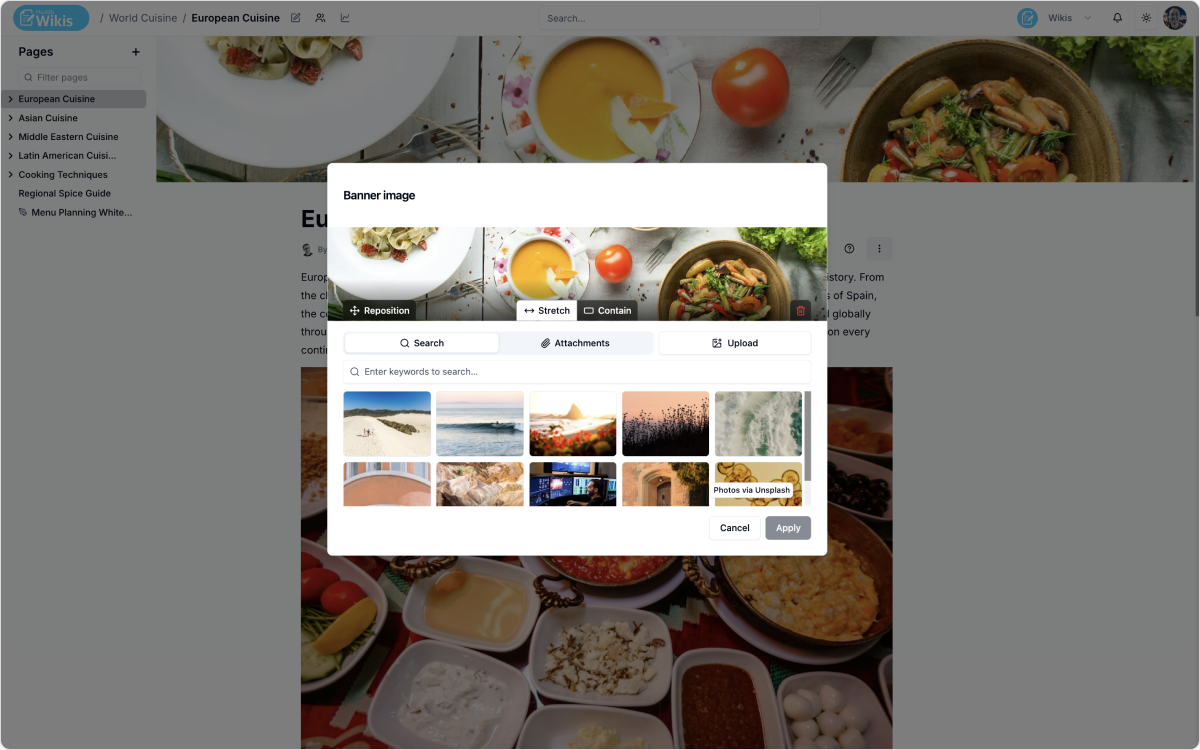
Can pages have their own visual identity, not just a title?
Yes. Any page can have a banner image — upload your own, pick from files already on the page, or search Unsplash directly — with adjustable width and vertical crop.
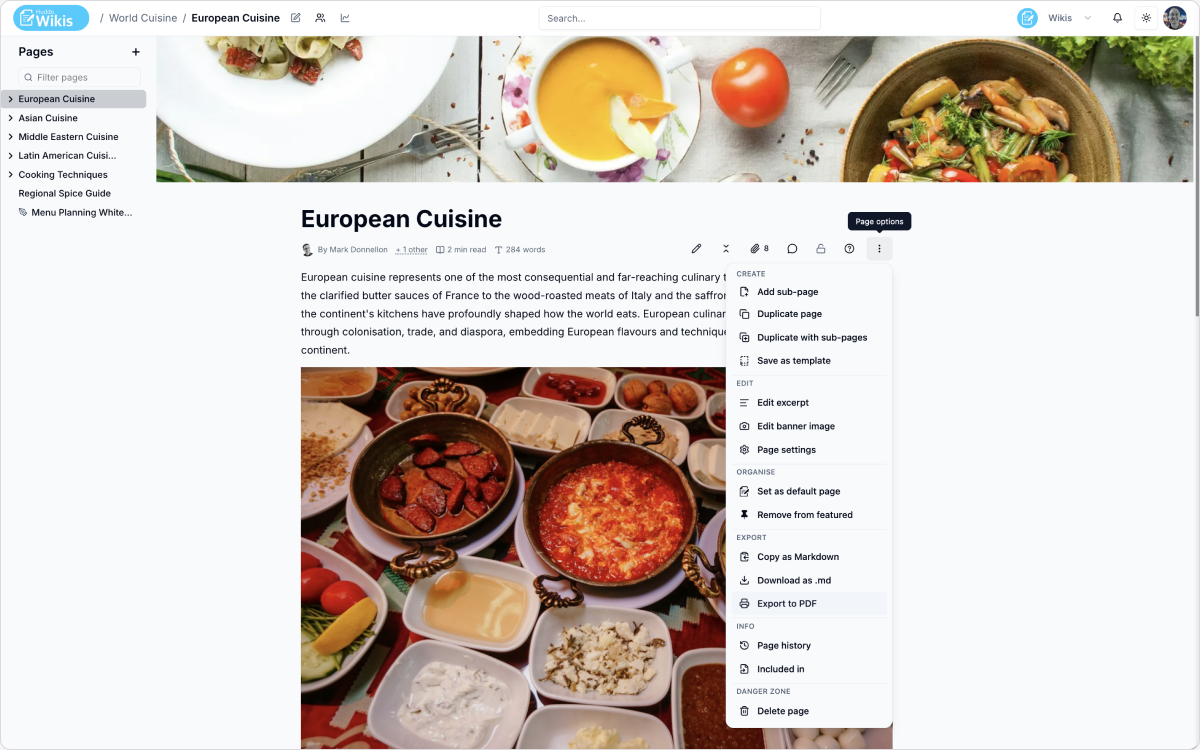
Can content be taken out of the wiki, not just kept in it?
Yes. Any page can be copied as Markdown, downloaded as a .md file, or exported to PDF — a single page, a page and its sub-pages, or the whole wiki — with a real cover page and table of contents.
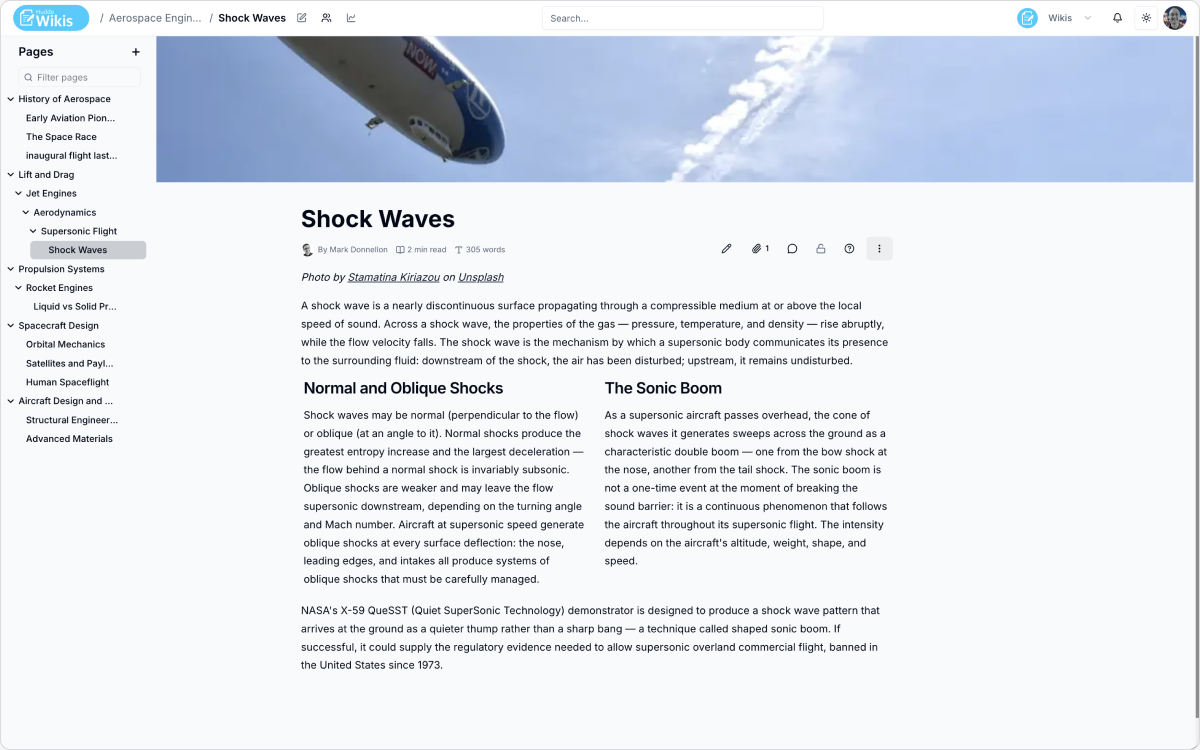
Can we organise content in nested hierarchies?
Yes. Pages nest to any depth, with drag-and-drop reordering and reparenting in the page tree. A Children Display block can also render an auto-updating list of a page's child pages, so a section landing page never drifts out of date.
Can multiple people edit the same page at the same time?
Yes. Real-time co-editing — everyone in the session sees the same document, each person's cursor and selection in their own colour, and every change merges instantly with no locking. Session access can stay open to anyone who can edit the wiki, require the page owner's approval, or be locked to just the owner while a page is still a draft.
Standardise how the team builds pages — and track decisions, not just documents.
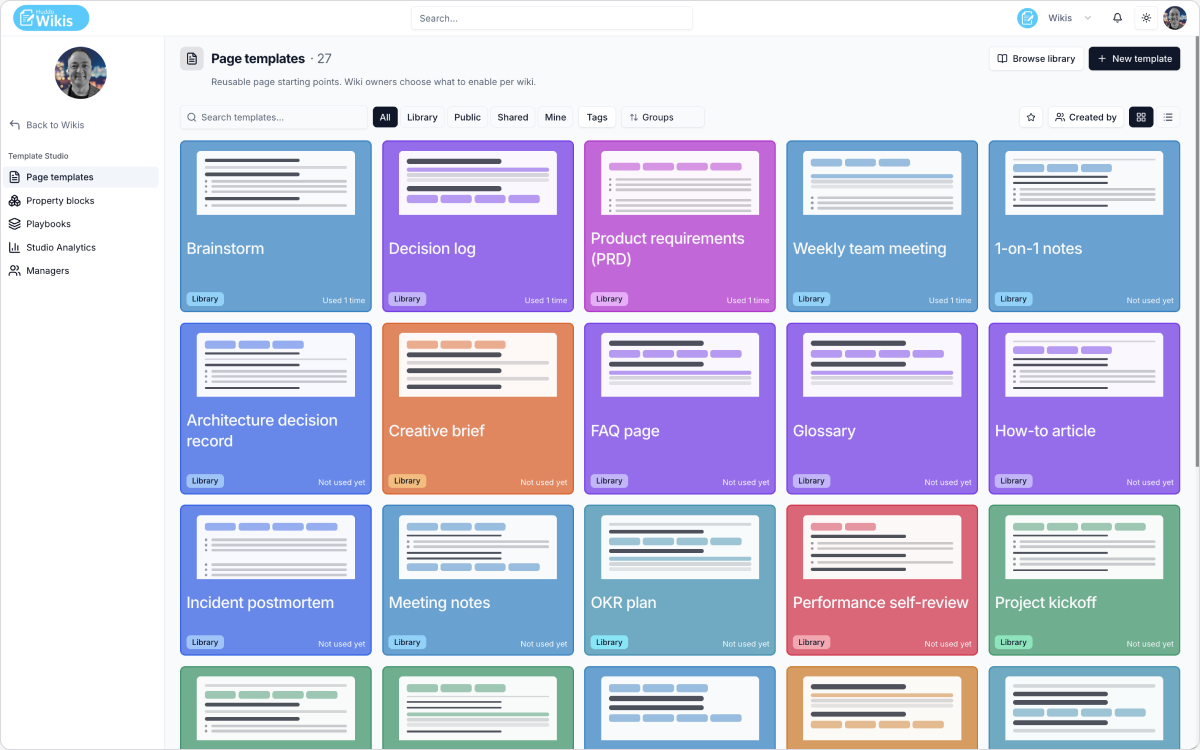
Can we standardise how our team builds pages?
Yes, through Template Studio — a catalogue of reusable page templates, property blocks, and multi-page playbooks. Ships with a curated starting set, and organisations can author their own with an optional locked schema to keep fields consistent.
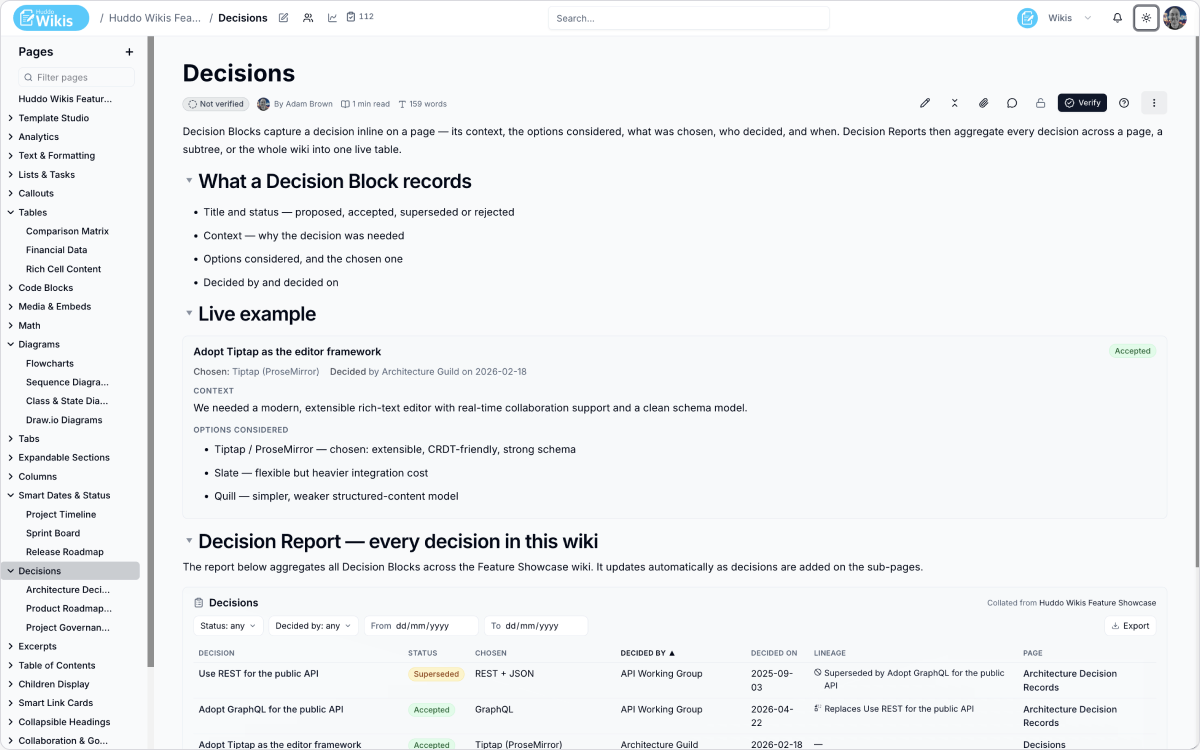
Can Huddo Wikis track decisions, not just documentation?
Yes. A Decision Block captures a decision's context, options considered, what was chosen, and by whom, right on the page. A Decision Report then aggregates every decision across a page, subtree, or wiki into one live, always-current table.
Can content be reused across pages without copy-paste drift?
Yes. Excerpts are short, named snippets defined once and included wherever needed — edit the source once and every page that includes it updates automatically. Include Page does the same for a whole page or one section. Both respect the reader's permissions.
Discuss content directly on the page, and sketch ideas out before they become documents.
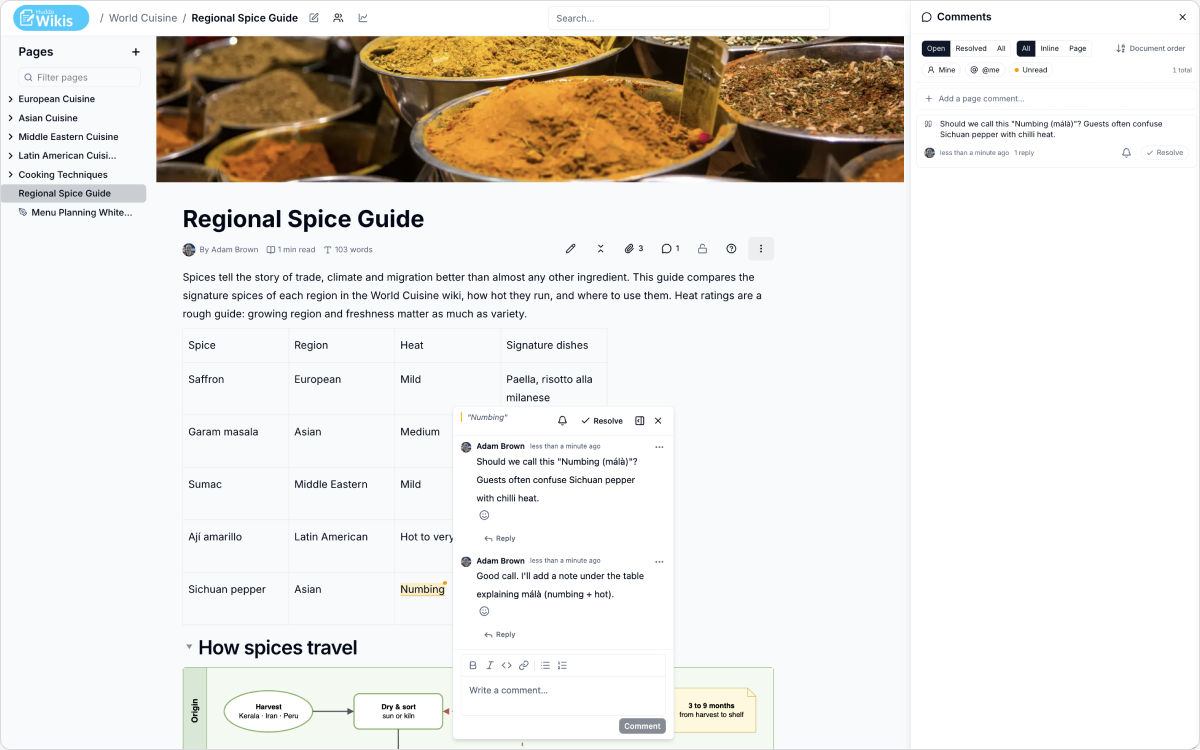
Can the team discuss content directly on the page?
Yes. Select any text to add an inline comment, or leave a comment about the page as a whole. Threads support replies, edits, emoji reactions, and resolving — with the option to reopen later. Replies and mentions feed into notifications.
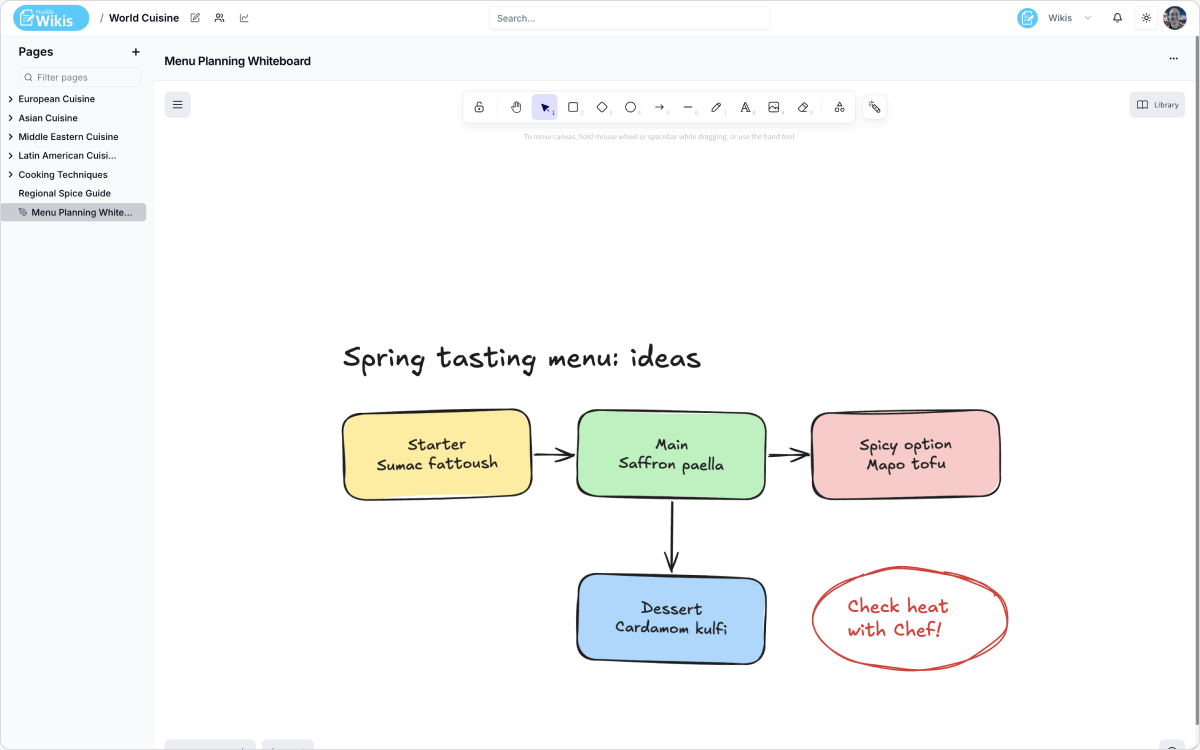
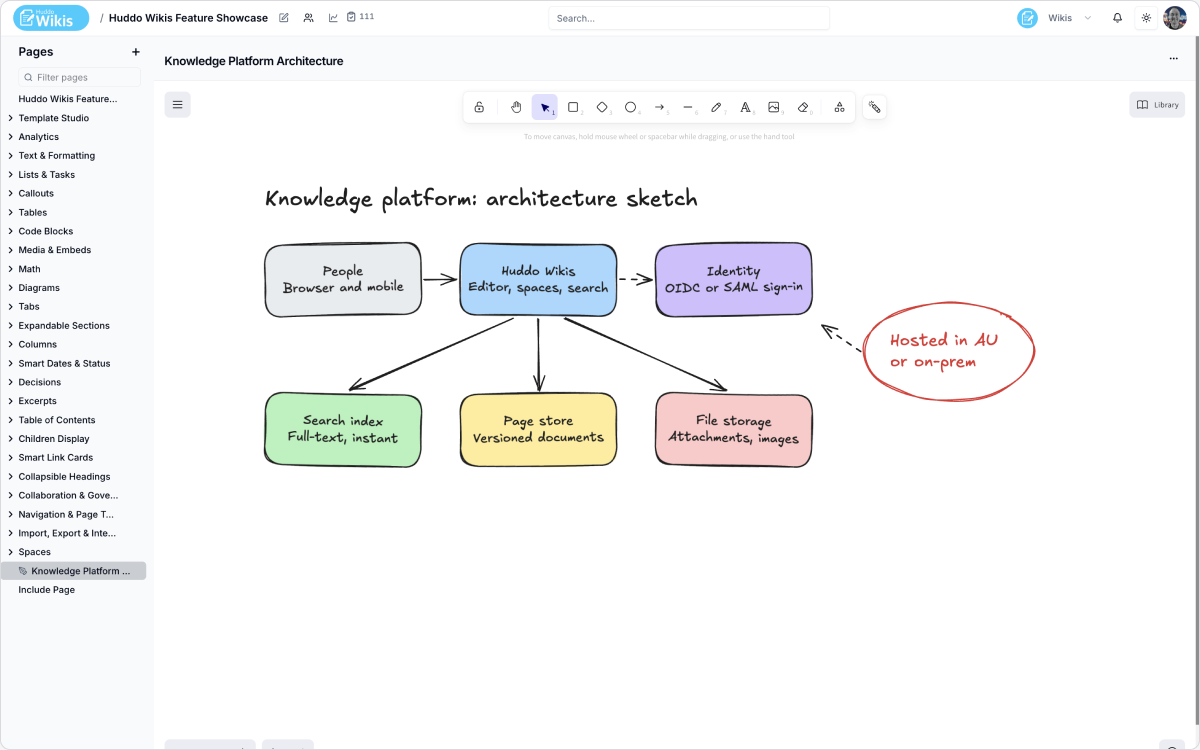
Is there a way to sketch out ideas, not just write documents?
Yes. Whiteboards add a free-form collaborative canvas to the page tree, alongside ordinary pages — for sketches, architecture diagrams, brainstorming, or workshop boards. Several people can draw at once, using the same real-time engine as page editing.
Trustworthy over time — not just editable.
How does access control work in Huddo Wikis?
Each wiki has its own membership, with three roles: Reader, Editor, and Owner. Individual pages can be narrowed further — read-only for everyone but a named list of editors, or closed entirely — without needing a separate wiki for it. Wiki owners always keep access.
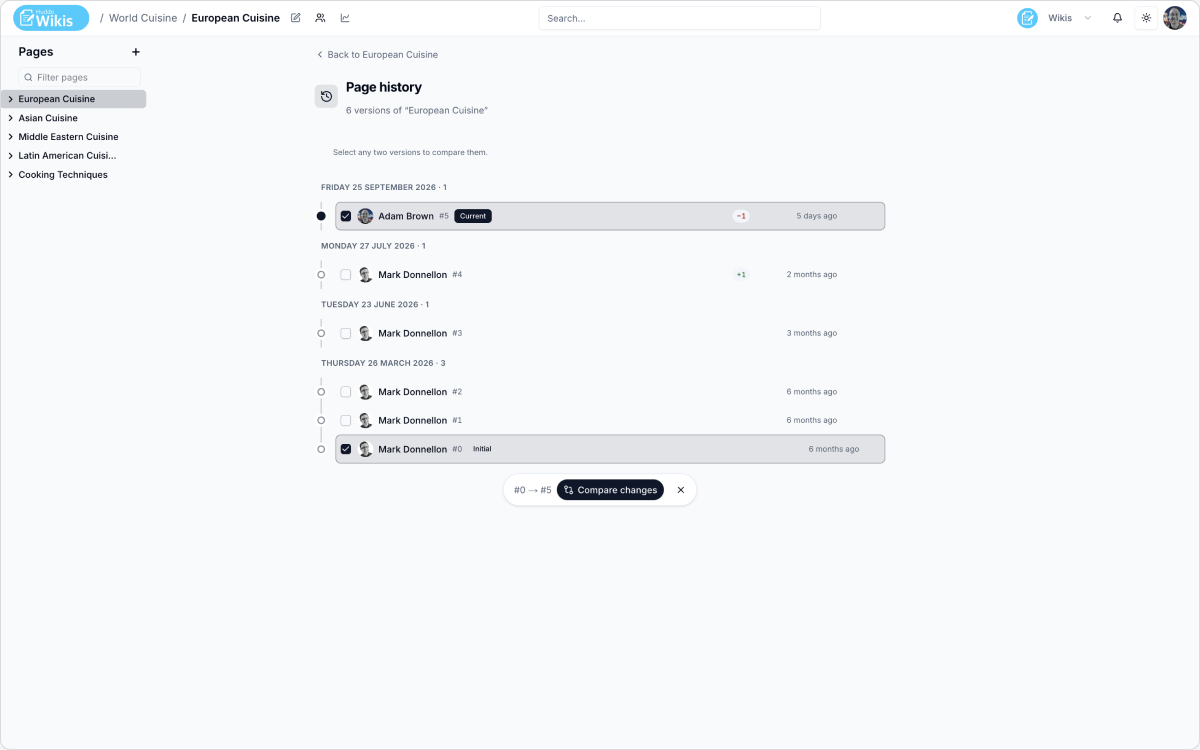
Does Huddo Wikis keep a full revision history?
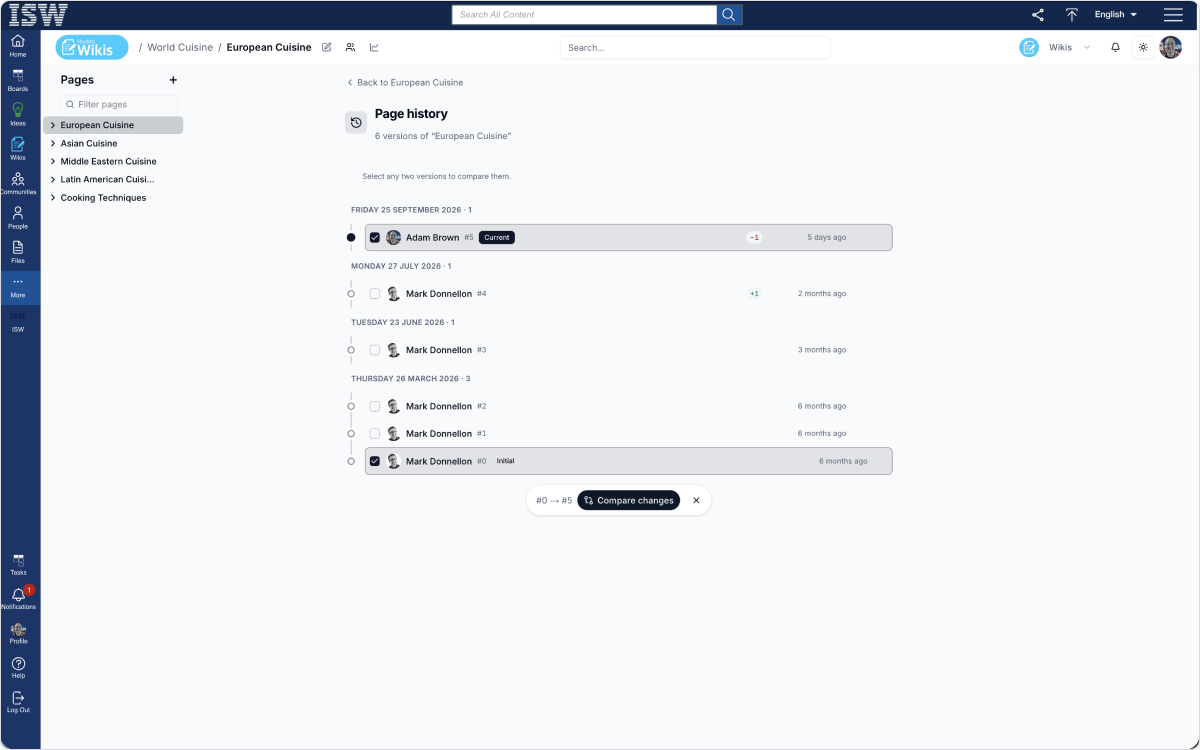
Yes. Every save creates a revision, listed newest first with author and time. Any revision can be restored — history is never rewritten. Important revisions can be labelled for easy filtering later.
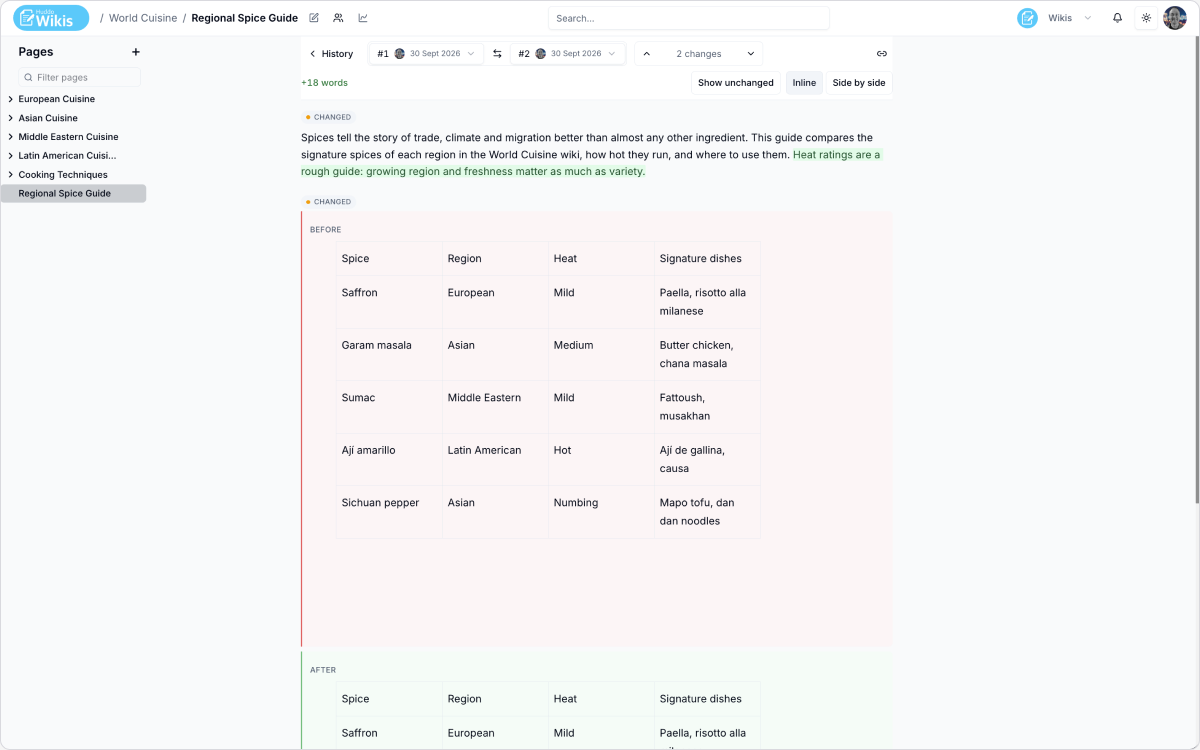
Can we see exactly what changed between two versions?
Yes. Any two revisions can be compared side by side, with additions, changes and removals clearly marked, and stepped through one at a time.
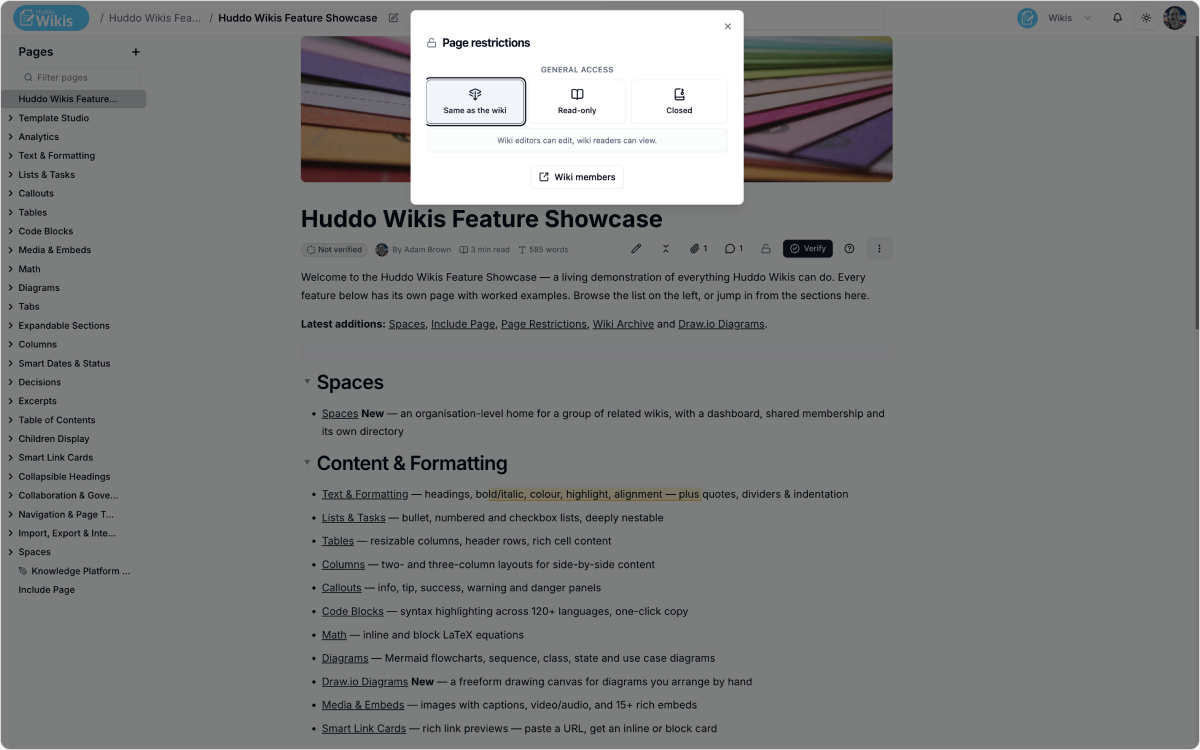
Can we restrict access to sensitive pages without locking down the entire wiki?
Yes. Page Restrictions apply to one page at a time. A restricted page disappears entirely from the page tree, search results and recently-updated lists for anyone who can't see it.
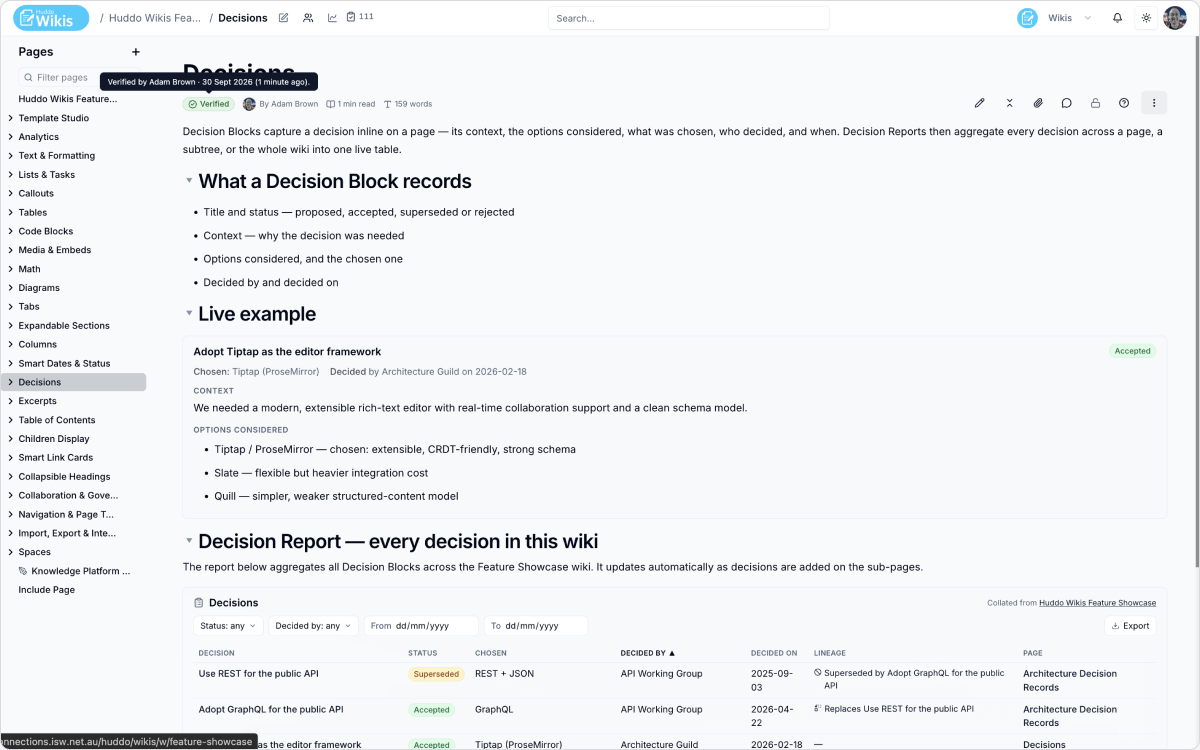
Can we make sure important pages are kept accurate over time?
Yes. Every page carries a status badge — Not verified, Verified, or Needs review. Wiki owners can set a review interval, after which the badge switches to Needs review and the owner is reminded automatically.
Can changes require sign-off before they go live?
Yes, optionally. A wiki can require approval before changes go live — readers keep seeing the last approved version until an approver signs off. Up to three approval steps can be configured, each with its own approvers and rule.
Pick what you want to see.
Five short demos, one topic each — click a tab to switch.
See how your knowledge base is actually being used.
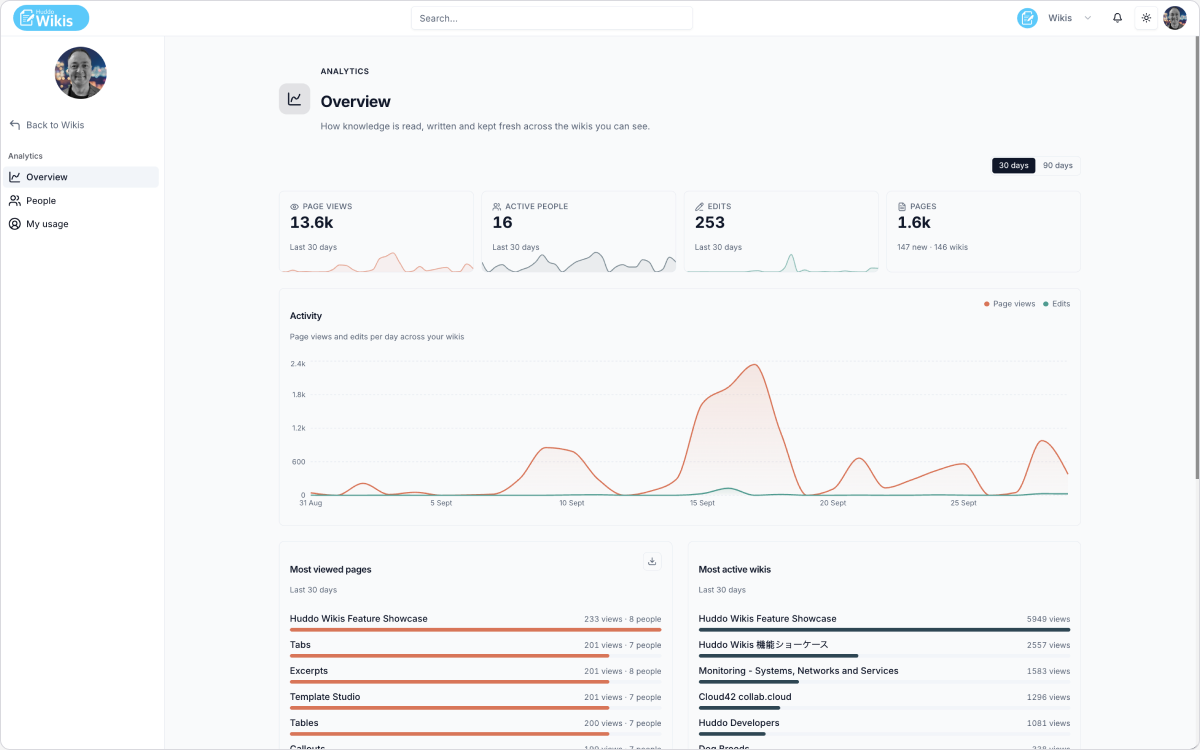
An organisation-wide dashboard shows page views, active people, edits, and total and new pages over the last 30 or 90 days — plus which pages and wikis are getting the most attention. The same view scopes to a single wiki, and each person can see their own reading and editing history. Tables export as CSV; page-view telemetry has no effect on page load and is retained for 37 months.
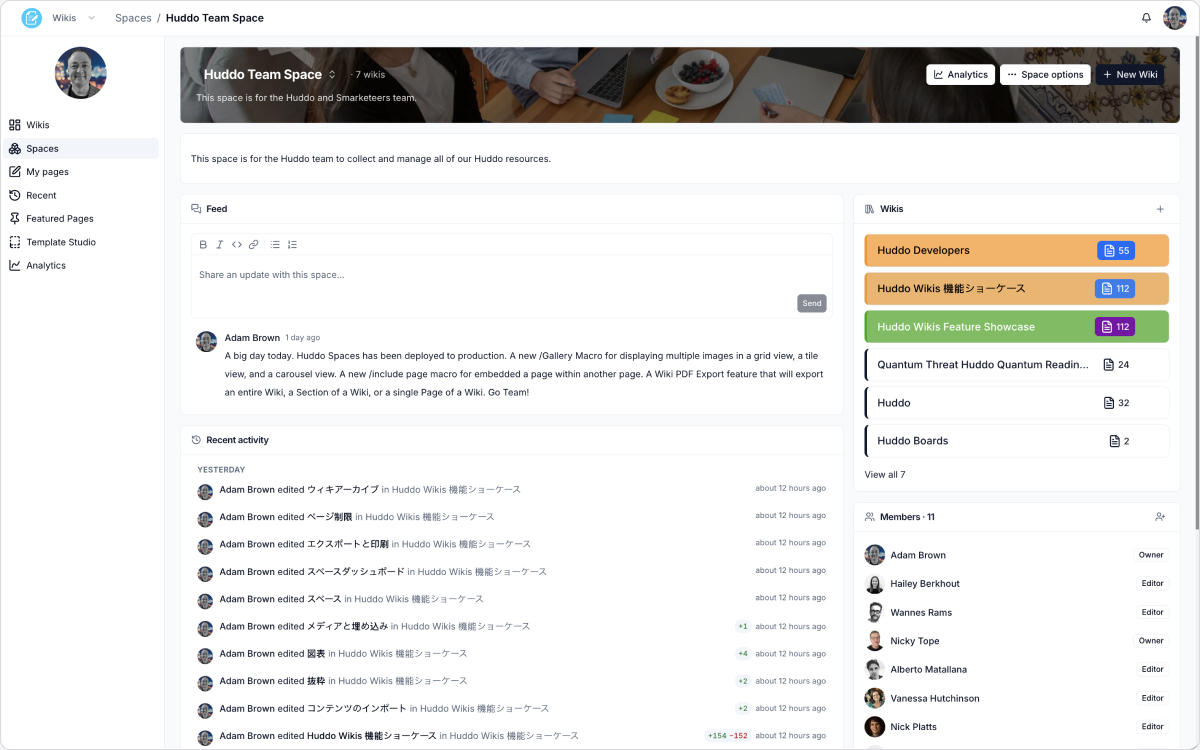
How do we manage many related wikis without them becoming scattered?
Spaces. A Space is an organisation-level home for a group of related wikis — a team, a department, a programme of work — with a single dashboard showing what's happening across every wiki inside it. Joining a space grants access to every wiki inside it in one step, rather than adding the same people to six wikis individually.
How do people find things across our wikis?
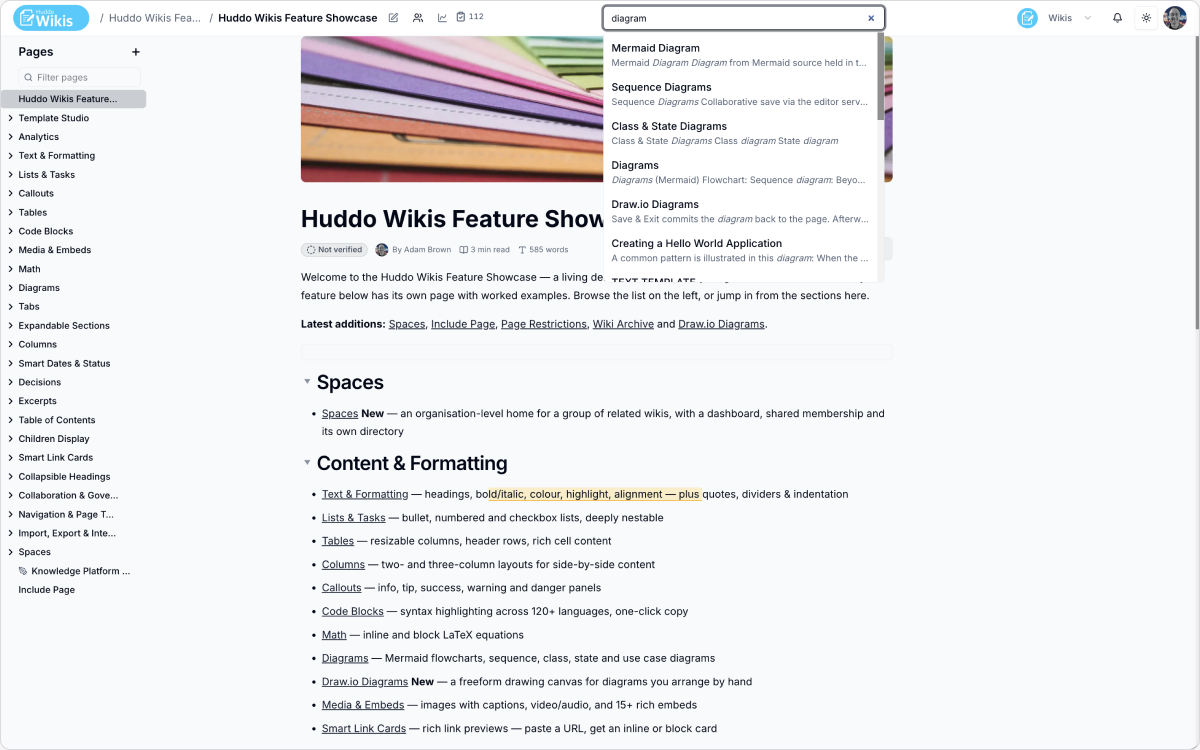
A single search box in the header searches titles, body text and excerpts across every wiki a person can access — results only ever include content they're actually allowed to read, so permissions apply at search time, not just at indexing time.
Runs wherever Kubernetes runs. Same install, every environment.
Where can Huddo Wikis be deployed?
Huddo Wikis runs as a set of Node.js microservices on Kubernetes. It runs wherever Kubernetes runs — on-premises, private cloud (AWS, Azure, Google Cloud, or a European provider), HCL DX, or any managed Kubernetes service. Nothing is hosted by ISW. No data leaves the customer's infrastructure.
Does Huddo Wikis require an internet connection to run?
No. On-premises deployments can run fully air-gapped — no internet connection required. The only outbound requirement is pulling container images from quay.io at install time; after that, the deployment runs entirely within the customer's network. Suitable for government, defence, and highly regulated environments.
Native in the HCL ecosystem.
Does Huddo Wikis integrate with HCL Connections?
Native integration. Huddo Wikis is built as part of the Huddo Suite, which runs on top of HCL Connections. Users, groups, communities, and permissions from Connections are available in Wikis without additional configuration.
ISW handles the migration. You don't do this alone.
Can we migrate from Confluence Data Center to Huddo Wikis?
Yes. Huddo Wikis supports migration from Confluence Data Center. ISW provides a managed migration service — we handle the technical migration, content mapping, permissions transfer, change management, and training. Learn more →
Can we migrate from HCL Connections Wikis to Huddo Wikis?
Yes — automated migration. Content, page structure, attachments, and permissions are carried across. The migration is handled by ISW as part of the implementation.
How long does a migration take?
Depends on the size of the environment — number of spaces, pages, attachments, and macro complexity. ISW scopes each migration individually. A typical engagement runs 4–12 weeks from kickoff to go-live.
How does Huddo Wikis compare to Confluence Data Center and Confluence Cloud?

The Huddo product family — Wikis, Boards, and Ideas — is used by organisations in government, education, healthcare, and financial services across Europe, Australia, and North America. Every product runs on the same infrastructure standards and is built and supported by the same ISW team.








Short answers for common questions.
Book a 30-minute demo with the ISW team.
We will walk through the product, answer your technical questions, and tell you honestly whether it is the right fit.