

New to Huddo Boards, (1) Drag and drop emails from Outlook to create Cards/Tasks, (2) Boards iCal feed and personal iCal feed, (3) Organisation content admin and member management, (4) Labels pivot view for Board and Activity views, (5) Guest promotion request to become a member, and (6 ) Add emojis to comments.

Huddo Boards Feature Update: June 2023. In this latest video, Craig outlines six new Huddo Boards features since our last product update, including: Custom and Unlimted Colours, My DashBoard 'Organisation' filter, Archiving by drag-and-dropping, turning Sub Cards/Tasks into dependencies, automatic moving of the parent task when a subtask is moved into the future, and template roles and rescheduling.

PURCHASING BOARDS FROM A FREE ACCOUNT: Understand the new free version and how to upgrade to a paid license within the Huddo Boards app. This video includes pricing plans, monthly and annual payment subscriptions, and assigning and revoking licenses.

WEBINAR: Huddo Boards for HCL Domino Presentation
We gave a sponsor presentation on our flagship application Huddo Boards, and how new developments enable HCL Domino to authenticate users and enable organisations to utilise Huddo Boards without needing HCL Connections.

TASK DEPENDENCIES FOR HUDDO BOARDS. Learn how to define an order of tasks that will provide a warning popup if you attempt to complete a task when there is an outstanding dependency, as well as how to add this new feature through the Card Options window, and/or directly in the Timeline View.

HOW TO use OneDrive Integrations in Huddo Boards. Hailey Berkhout gives a run-through of our OneDrive integrations, starting from the creation of a new Microsoft Team and its associated libraries, to uploading and linking to various files directly in Huddo Boards.

HOW TO COPY/PASTE AND MOVE CARDS IN HUDDO BOARDS in 3 easy steps with simple keyboard shortcuts and/or use the ‘Move’ feature within a card itself to send cards to specific lists, Boards, or as Sub Cards in another Card. Save valuable time from recreating those repetitive tasks, again and again.

HOW TO CREATE PRIVATE CARDS IN HUDDO BOARDS to manage tasks, notes, or prompts for yourself, which are not visible to other members of your team. Private Cards have the same features as regular cards, such as Due Dates, Colours, Labels, Files/Attachments, and Comments.

Huddo Boards Update November 2021
First in this series is a review of the latest updates from Q4 2021 (October - December) including; (1) Private Cards, (2) See who's editing/viewing a card, (3) Recent Updates, (4) Email Notifications, and (5) Group Permissions.

WEBINAR: Huddo Boards in Microsoft 0365
This webinar explores how you can add visual task management to your MS Teams workspace. Explore the versatility and benefit of collaborative task management as we dive deeper into Huddo Boards functionality.

THE HUDDO BOARDS PLUGIN FOR MICROSOFT OUTLOOK. Use this integration directly from Outlook desktop or web to create a new Huddo Boards card/task from an email and add a link to a Huddo Board, list, or card/task to an email in Outlook.

HOW TO USE COLOUR LABELS IN BOARDS to organise and filter tasks as a team, or use personal colour labels to organise your projects in the ‘MyDashboard’ view. Need inspiration of what labels to use? See some label systems we use for Product, Sales and Marketing Boards.

HOW TO USE TEMPLATES IN HUDDO BOARDS to quickly create Boards for various purposes using our ‘Global Templates’ library, or create your own personal / organisational library by creating templates from your existing Boards.
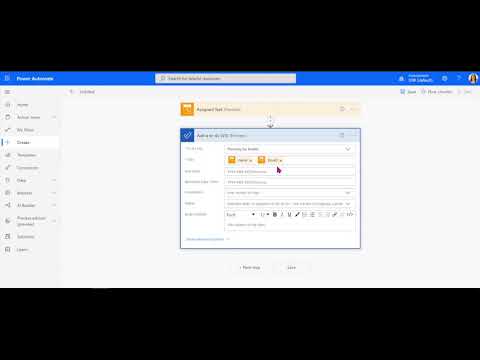
CONNECTING HUDDO BOARDS WITH MICROSOFT TO-DO USING POWER AUTOMATE to help save time, reduce duplication and automate your day-to-day tasks so you can focus on what is most important to you. In this video we put a new Huddo Boards task into a Microsoft To-Do list.

CONNECTING HUDDO BOARDS WITH MICROSOFT OUTLOOK USING POWER AUTOMATE to help save time, reduce duplication and automate your day-to-day tasks. In this video we create a new task/card in Huddo Boards after creating/accepting an Outlook event.

HOW TO STICK TO DEADLINES using due date icons, coloured labels, and columns in Boards (Kanban) view, drag and dropping tasks in the aggregated ‘Todos by date’ view, and using Timeline to get a complete project overview and see the lifespan of tasks.

HOW TO BE ORGANISED IN BOARDS by using MindMap to get a complete project overview, Timeline to manage resources and delegate tasks, and Boards ‘Kanban’ view to filter tasks, archive lists and delete duplicate tasks.

HOW TO COLLABORATE ON BOARDS by using comments, @mentions, sub-cards/sub-tasks, files, and links to shared online documents. Using these features you can collaborate with both internal and external users to divide and conquer your tasks, as a single team.

HOW TO BUILD A HUDDO BOARD from scratch by adding tasks, members, and coloured labels in Boards (Kanban) view, and setting task dates in Timeline View. Then using simple filters and aggregated views to review tasks by category, assignment or due date.
